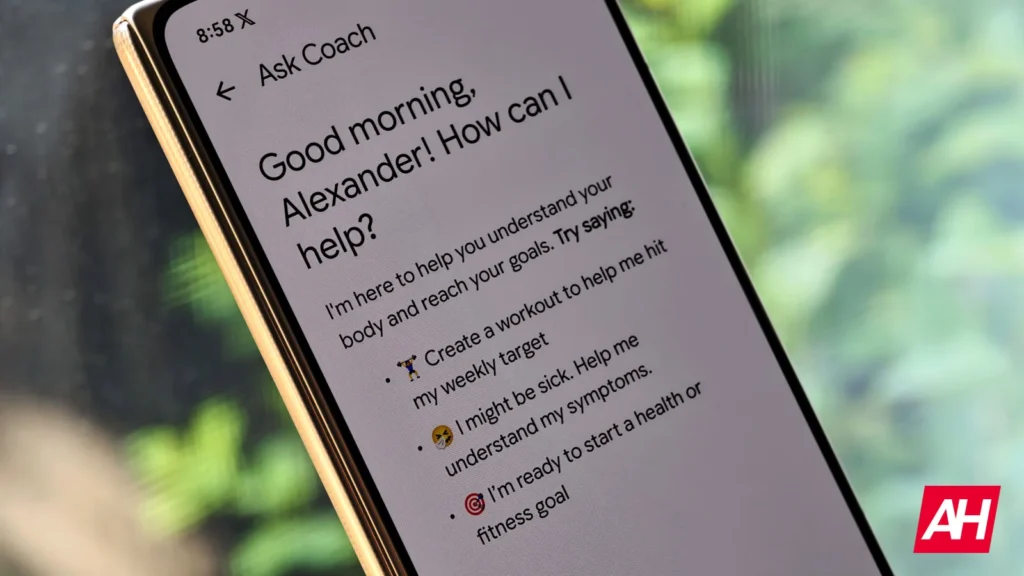

Google Health Coach is one of the premium perks of the Google Health subscription. There’s Gemini integration here, where the chatbot can use your data in Google Health and offer insights. While it sounds legitimately useful, there has been widespread criticism from users about how Health Coach takes up a lot of space in the Today tab. Well, that’s a thing of the past now. Google Health finally lets you remove AI Coach insights from the Today tab.
Google Health lets you remove AI Coach insights from the Today tab
Version 5.06 of Google Health finally brings this ability, as spotted by 9to5Google. There’s now a new ‘No Coach Insights’ option. As the name suggests, it removes Health Coach’s insights from the app’s Today tab. To recall, we came across strings within the Google Health app suggesting its arrival last month.
This should come as a big relief for many users who complained that they simply wanted to see their health metrics instead of lengthy AI commentary right on the home screen. Google should have just added this option at launch.
You’ll still be able to access it
If you don’t like seeing lengthy AI guidance like many others, you can turn off Health Coach in the Google Health app by tapping your profile picture, then Google Health settings > Coach from the Today tab. There, you can select No Coach Insights. This will remove Health Coach text from the app’s home screen and focus on activity and sleep summaries.
If you prefer to have Health Coach in your Today tab, you have the “Standard” (default) option as well. Google says that in either mode, you can still ask your coach questions anytime and access your active fitness plans on the Fitness tab. Version 5.06 of Google Health is rolling out now on Android and iOS. You can grab it from the Play Store or the App Store.
The post Google Health Finally Lets You Turn Off AI Coach Insights appeared first on Android Headlines.