
With the launch of Google Health, taking over for the Fitbit App, Google introduced the Health Coach. Which, as we’ve seen online, is not everyone’s favorite feature. Right now, it really seems to be in its infancy and not all that useful. Though I do believe that this will improve greatly in the coming weeks and months.
This is a Google Health Premium feature, which a lot of people have from the Google AI Pro plan, which also includes 5TB of storage, and a few other perks. Luckily, if you don’t really want to use the Google Health Coach, you can disable it. Unfortunately, Google has kind of hidden it in the App’s Settings. Here’s how to disable the Google Health Coach.
How to turn off the Google Health Coach
To turn off the Google Health Coach, here’s how you can do it:
- Tap your Profile picture or initials in the upper right corner of the Google Health app.
- Tap Your data in Google Health.
- Scroll to the Feature privacy controls section and select Manage feature privacy controls.
- Tap Google Health Coach.
- Then tap on the blue ‘Turn off‘ button at the top of the page.

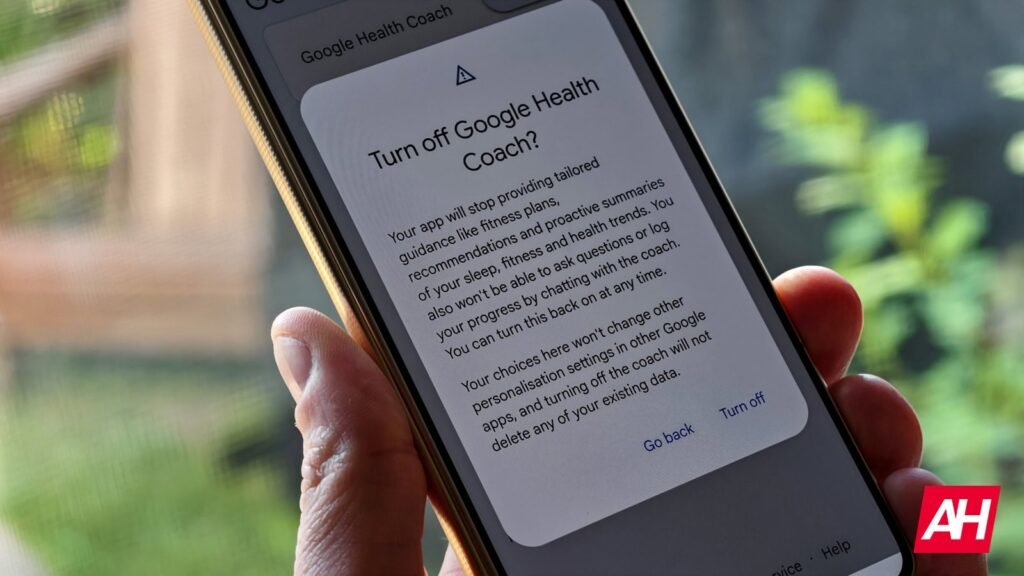
When you do select to turn it off, it will tell you that your app will stop providing tailored guidance like fitness plans, recommendations, and practice summaries of your sleep, fitness, and health trends. Google also makes sure that you know turning off the Health Coach will not delete any of your existing data.
You won’t notice right away that the Coach has been turned off, as the previous responses will still be there in the app.
One final bit to consider is that it’s not as easy to turn the Health Coach back on. The settings above disappear once you turn off the Health Coach. However, after a few minutes, if you tap on the “Ask Coach” button at the bottom of the screen, you’ll be prompted to Unlock Coach by giving it access to your historical data.
So, if you’re looking to get rid of the noise, this is how it’s done. But keep in mind that this is really the only advantage to paying for Google Health Premium, so if you do disable the Health Coach, you might as well unsubscribe from Health Premium – if you have the standalone subscription.
The post How to turn off Google Health Coach in the New Google Health App appeared first on Android Headlines.