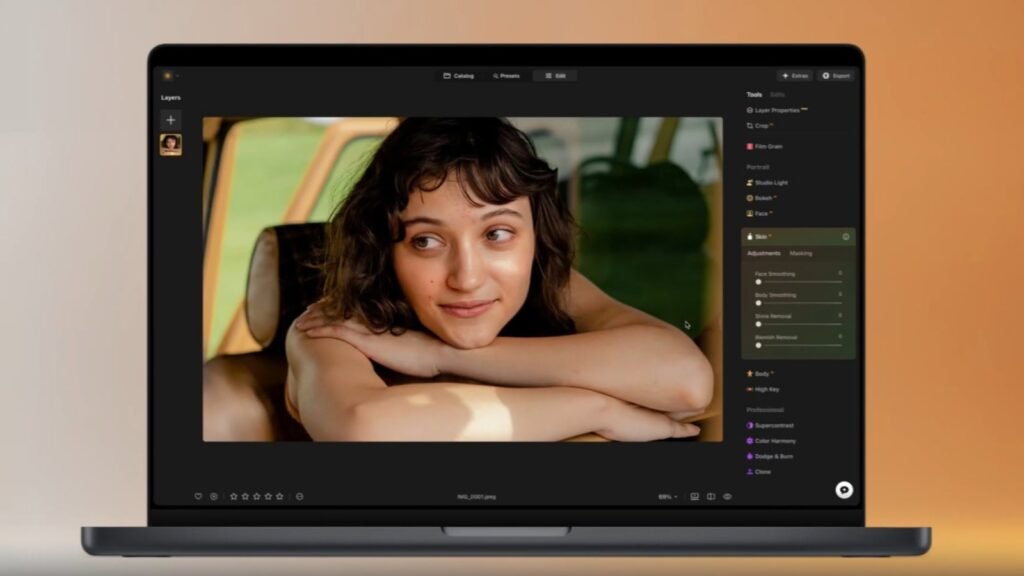

Googlebooks are now officially on store shelves, available for users to grab. Just in time, Skylum has announced it’s expanding its photo editor, Luminar, to Googlebook. The company is bringing its complete photo editing experience to Google’s new laptop. As part of the launch, buyers of Googlebook will get 12 months of access for free. That includes all editing tools and AI features.
Luminar brings Generative Erase and batch editing to Googlebook
The company says Luminar for Googlebook is fully adapted for large screens. It introduces capabilities like drag-and-drop, keyboard shortcuts, and resizable windows. The latter wasn’t previously available on phones and tablets. The company claims that after several rounds of testing, Luminar has built a range of features designed specifically for Googlebook OS.
The photo editor is built for laptops, with full mouse support, multitasking, drag-and-drop, and file management. It also brings Generative Erase, HDR Merge, and batch editing. Additionally, users can use Luminar on both Android phones and Googlebook with the same account. With Continue On, users can also start editing a photo on their phone and finish it on their laptop.
Complete photo editing experience
The Luminar photo editor’s 12-month free offer is already available in the US, the UK, Canada, Ireland, Germany, France, Australia, and New Zealand. After the included 12-month offer, Luminar is available for $39.99/ €39.99 / £39.99 a year. The company says that its collaboration with Google marks an important step as it brings its photo editing experience to a new category of devices.
Skylum apparently worked closely with Google ahead of the Googlebook launch, allowing it to build Luminar for the platform from the start and take advantage of its new capabilities. “We’re excited to welcome the new laptop category from our partners at Google and bring a high-quality photo editing experience to Googlebook users from day one,” said Ivan Kutanin, CEO of Skylum.
The post Googlebook Gets Luminar’s Full Photo Editing Tools appeared first on Android Headlines.