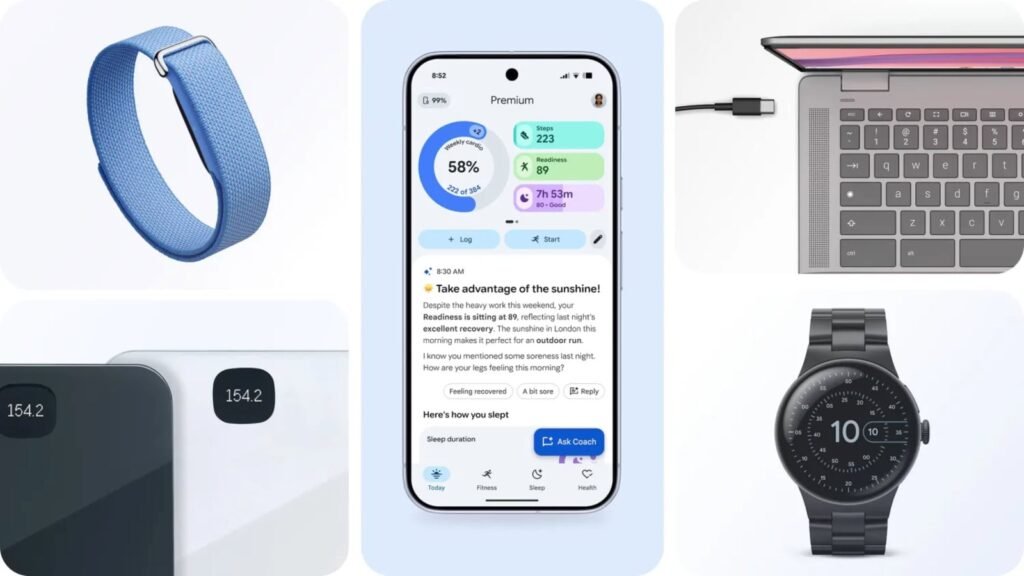

Google Health has just launched a CLI (command-line interface). This allows users and developers to access their health data and build tools like dashboards. It connects to the Google Health API and pulls more than 40 metrics, such as Activity, Sleep, Heart Rate, and VO2Max, from devices like the Fitbit Air and Pixel Watch. You can export these stats into streamlined JSON, readable terminal tables, or CSV files for a personal spreadsheet. Or, to build a custom health dashboard.
Google Health CLI makes it easier to access more than 40 health metrics
Google Health CLI includes two starter skills to simplify setup and authentication. Users can start by directing their AI agent to the README file. The tool can be used by commercial developers building an app for a broader audience, as well as individual health enthusiasts who want to dig deeper into their own data.
For example, users can use it to monitor trends by automating daily syncs of sleep, recovery, and health metric trends so you can optimize training readiness or track how small routine changes affect specific health symptoms. Users can also integrate this data into their day-to-day schedule. For instance, if your Readiness is high, automatically block time for a workout or a short mindfulness break during a busy day.
They can also create custom alerts and workflows. Like linking nutrition logs to blood glucose, or set up subtle recovery notifications when vitals shift from personal baseline.
More control over your health data
To begin with the Google Health CLI, install the open-source tool from its GitHub repo. Once done, run the setup guide using the “ghealth setup –instructions” single-line command. Follow the interactive prompts to create and connect a project in the Google Cloud console and securely download your credentials. Once authenticated, you can start querying, logging, and getting more from your own health data.
The post Google Health Launches a CLI to Put Your Health Data to Work appeared first on Android Headlines.