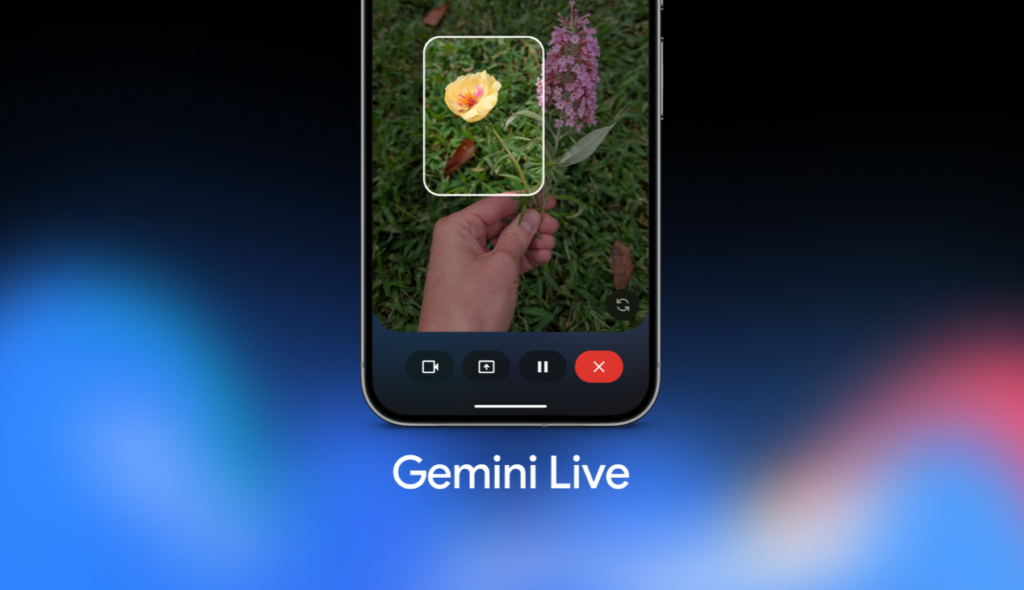

Google’s rollout of conversational artificial intelligence has leaned heavily on guiding users through everyday tasks. Last year, alongside the Pixel 10 series debut, the company showcased a major visual upgrade to Gemini Live known as Guided Vision. This feature utilizes your smartphone’s camera to analyze surroundings in real time, automatically highlighting and identifying objects on your screen as you talk about them. While it works exceptionally well for interactive learning, recent findings suggest Google is building a way to disable Gemini Live’s Guided Vision feature.
The Gemini Live Guided Vision hidden toggle in the code
If you are one of those users who find the constant visual hand-holding a bit overbearing, it seems Google has heard you. An analysis by Android Authority of the Google app—version 17.38.5.sa.arm64 for Android—uncovered an unreleased setting tucked away inside the system backend. Standard consumers cannot toggle the preference option just yet. Still, the code strings reveal that developers are implementing a simple menu switch titled “Guided vision in Live.”


The presence of this impending menu option has left hardware analysts questioning how the conversational experience will behave when a user turns the parameter off. Leaving the setting active preserves the current visual feedback setup, but turning the option off introduces a few structural mysteries.
Uncertain operational logistics
One possibility is that flipping the setting off could revoke camera access for the conversational mode altogether. However, considering that the software already forces you to tap a distinct camera icon every single time you want the assistant to access your lens, a global lock option seems redundant.
Alternatively, the adjustment might represent a throwback option for long-time users. For a short window before the launch of the Pixel 10 lineup, Gemini Live offered basic camera streaming capabilities without the automated object tracking and graphical highlights. Disabling the Guided Vision setting might simply allow users to stream video directly to the model for conversational context without dealing with the automated software interface overlays popping up across the frame.
The Android Headlines Take
This upcoming setting is a quiet acknowledgment of a growing trend in mobile technology: AI fatigue. Real-time visual tracking is an incredible technical achievement, but constantly watching your screen flash with colorful tracking boxes and automated labels while you are trying to hold a casual conversation can feel incredibly distracting and chaotic. Giving users an official off switch shows that Google understands that helpful assistance should not feel like sensory overload. Sometimes, you just want the AI to look at what you are pointing at without turning your entire viewfinder into an interactive arcade game.
The post Gemini Live May Soon Let You Shut Off Its ‘Guided Vision’ Real-Time Camera Highlights appeared first on Android Headlines.