
Manually typing out your passport number, flight details, or car’s VIN into an online form is easily one of the most annoying parts of browsing the web. Whether you are checking into a last-minute flight or rushing to pay for digital parking, scrambling to find your physical documents is a hassle nobody wants. Luckily, Google is rolling out a great quality-of-life update that builds a much tighter bridge between Chrome Autofill and Google Wallet.
The company is pushing this update to both Android and iOS mobile browsers, expanding on features that desktop users already enjoy. Instead of just remembering your credit cards and addresses, Chrome is getting smart enough to handle much more complex data types.
Handling your heavy documentation
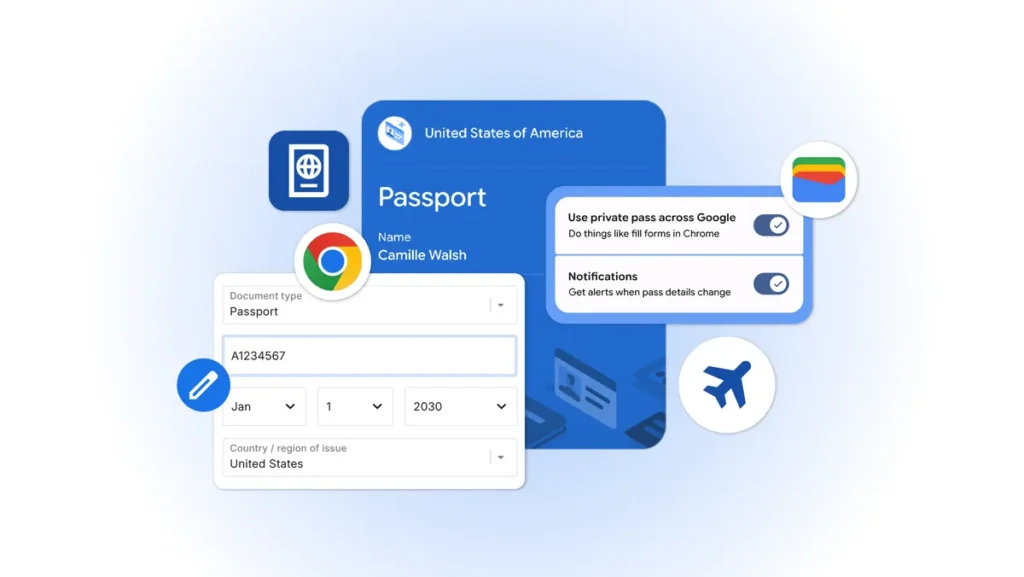
The biggest change here is how Chrome interacts with the digital IDs you already keep in Google Wallet. Moving forward, the browser can securely pull your passport details, driver’s license, and even your Known Traveler Number straight into web fields.
This works as a two-way street, too. If you type your passport info into a website for the first time, Chrome will offer to encrypt it and save it directly to your Google Wallet so you never have to type it again.
On top of that, the browser is learning to remember your flight details, license plates, and vehicle registration numbers. This means you won’t have to keep switching between apps or checking your notes just to copy over long strings of random letters and numbers while filling out travel or automotive forms.
Privacy first, with a cleaner layout
We all know that dealing with government IDs and sensitive travel data requires serious security. However, Google emphasizes that you are fully in control. Chrome will never fill out a form or save your details without your explicit permission, and all syncing happens through secure encryption. If you ever change your mind, you can easily turn off the “Use private pass across Google” toggle inside your wallet settings.
To make room for all these new features, Google is giving Chrome’s settings page a much-needed makeover. Rolling out alongside the Chrome 150 update for mobile, the old “Passwords and Autofill” section is being replaced by a clean, easy-to-scan layout.
Lastly, with this update, everything is now organized into five simple categories. The list includes Google Password Manager, Payments, Contact info, Identity docs, and Travel.
The post Chrome Gets Major Autofill Upgrade on Phones Via Deeper Google Wallet Integration appeared first on Android Headlines.