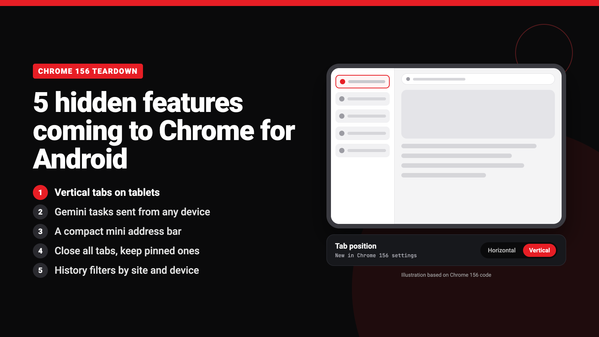

Chrome 156 is rolling out now, but the most interesting changes aren’t visible yet. I compared Chrome 156 against Chrome 155 for Android, and Google has a handful of unannounced features hiding in the code. They range from vertical tabs on tablets to a smaller address bar for Android phones.
As a disclaimer, just because the code is there, or there are flags in this APK, doesn’t mean these features will launch soon, or at all. Google constantly tests and changes features.
Vertical tabs are coming to Android tablets
Google already brought vertical tabs to Chrome on desktop. Chrome 156 shows tablets are next. The update adds a new “Tab position” settings page with “Horizontal” and “Vertical” options. Its description reads “Customize your tab layout to appear at the top or along the side of your browser.”
The code limits it to tablet-sized screens, and you can drag the side tab bar to make it wider. A full settings page is usually a good sign that a feature is getting close to launch.

Any Gemini app could send tasks to Chrome on your phone
Chrome 155 already had a hidden setting called “Let Gemini Spark browse on this device.” In Chrome 156, Google dropped the Spark branding and widened what it covers. It’s now “Let other Gemini apps browse remotely from any device.” The text under it says that tasks can come “from other Gemini apps, including gemini.google.com and Gemini mobile apps.” In other words, you could start a task in Gemini on your laptop and have Chrome on your phone carry it out.
A smaller address bar
A new flag called clank-mini-omnibox (“Clank” is Google’s internal name for Chrome on Android) “enables a compact mini-Omnibox toolbar with reduced height and dense typography.” That would free up more screen space for the page you’re reading. A second flag stops the address bar from popping back open when you scroll down and move between pages on the same site.
Close all tabs without losing pinned tabs
Another flag makes “Close all tabs” leave your pinned tabs open. The confirmation dialog also gets a checkbox if you want to close those too. It’s a small change, but anyone who pins tabs will appreciate it.
Of course, Chrome has had a “Close all tabs” button for years, but the ability to leave your pinned tabs would be a really nice addition to this feature, particularly on mobile.
Better history filters
Chrome’s history page is getting a “Filter by host” option, which shows every visit to one site. A separate flag adds device filtering, so you could see only what you browsed on your laptop.
All of these are off by default, and Google controls them from its servers. Not every code change becomes a feature. But the vertical tabs settings page and the Gemini changes come with finished UI text, so those two look closest to launch.
The post Chrome for Android is quietly preparing vertical tabs and a smaller address bar appeared first on Android Headlines.