
The Samsung Galaxy Watch series is getting an update to the timezone information that Samsung has pushed out to devices, but the update seems to have cause a small issue with some users. Thankfully the issue was quickly fixed, but it could be easily missed if someone didn’t think to check what made the issue go away.
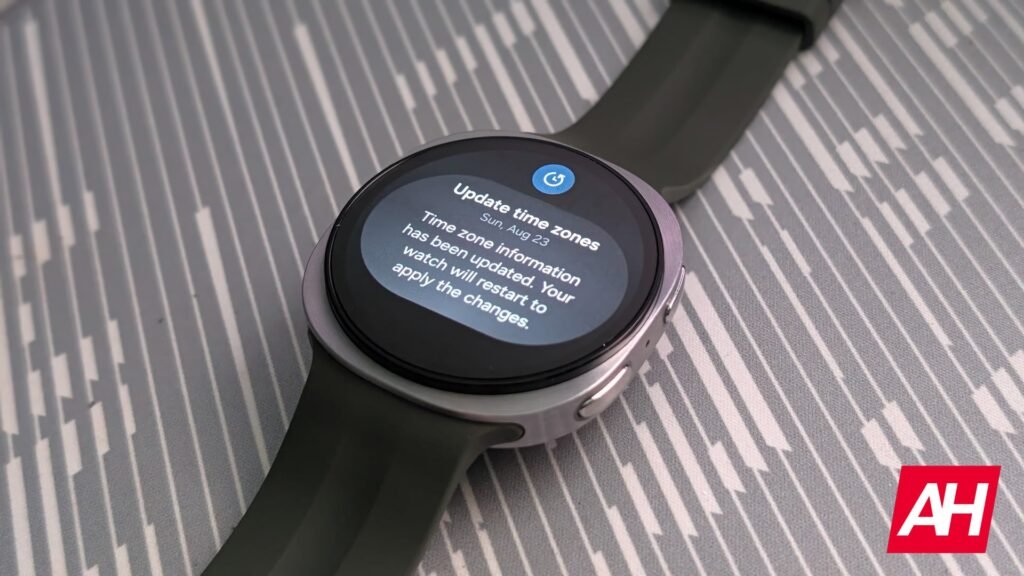
The issue in question is the watch shutting off when it goes to restart and not powering back on. The update to timezone information happened automatically which is why Samsung is prompting users with the alert on the notification screen of the watch. The message in the notification says “Timezone information has been updated. Your watch will restart to apply the changes.”
Users will need to tap on this notification to start the restart process. Though Samsung does give you the option to restart the device immediately or to restart it later on your own time. Tapping on the “restart now” option is what causes the issue to pop up, as reported by SamMobile.
The timezone update issue for Galaxy Watch devices can be rectified quickly
As noted by SamMobile, tapping on the restart now option on that notification caused their watch to power down for the restart process, but it never turned back on. SamMobile also mentions that they’re in India and that that may have something to do with the issue because of the regional variant of the watch.
Upon trying to power the watch back on, the watch stayed powered off. There is a simple fix for getting beyond this point. All users would have to do is place their watch back on the charger, as SamMobile states that this forced their watch to power back up. It wasn’t made clear if the same thing happens if you tap the restart later option and try to restart the watch manually. This update should be hitting older devices like the Galaxy Watch Ultra and Ultra 2.
The post A Galaxy Watch timezone update is causing power issues, but there’s an easy fix appeared first on Android Headlines.