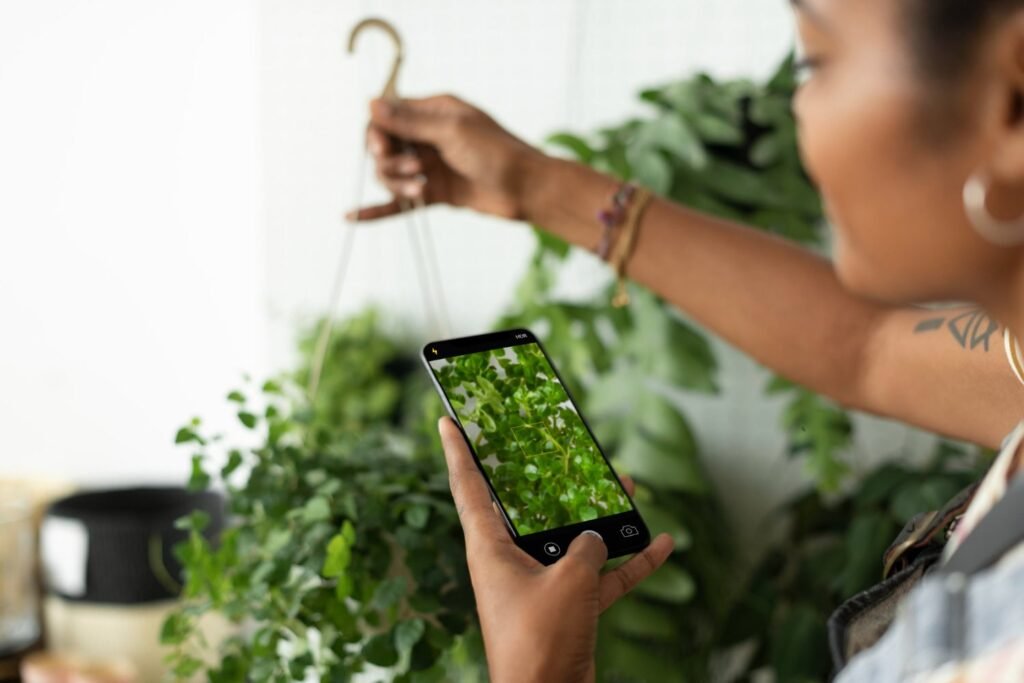

Whether you’re hiking, shopping for houseplants, or trying to figure out what’s growing in your backyard, identifying an unfamiliar plant has become much easier than it was just a few years ago. Modern Android smartphones combine powerful cameras with AI-powered visual recognition. You can identify thousands of species in just a few seconds.
To identify any plant on Android, you can use the built-in Google Lens, Circle to Search, or a dedicated plant app like Botan. These tools analyze features such as leaf shape, flowers, stems, and growth patterns to suggest a species. Moreover, specialized apps also provide toxicity information, care recommendations, and special insights.

1. Google Lens

It is the most accessible starting point because it works through Google Photos and other Google services on Android. It compares the subject with visually similar images and information on the web.
Here is how to identify a plant from an existing photo:
– Open Google Photos on your phone.
– Choose a clear image of the plant.
– Tap the three-dot menu and choose Google Lens.
– Adjust the selection box so it covers the relevant leaves or flowers.
– Review the proposed species and visually similar results.
Google Lens is useful when you want to know what this plant is without installing another service. Its limitation is that results are based on visual search. It means that users also get shopping pages, social-media images, or other content instead of a botanical profile.
2. Circle to Search

This tool analyzes content already displayed on a compatible Android device. You can select a plant directly from a website, social media post, video, or messaging application.
Below is a short instruction on how to use it:
– Display the photo or video frame with the plant.
– Long-press the Home button when using three-button navigation. Another way: long-press the navigation handle in gesture mode.
– Circle, highlight, scribble over, or tap the plant.
– Clarify the query with text if needed.
– Swipe up to look at additional results.
This method is among the best ways to identify plants online. But it is less suitable when the user needs a persistent collection, watering reminders, diagnostic tools, or detailed care instructions.
Also note that Circle to Search also has the limitations of broad visual search. For example, a photo from social media may be compressed, color-filtered, cropped, or stripped of geographical context. All these factors can reduce identification reliability.
3. Plant ID Mobile Apps
A dedicated Android plant identification app is for a more specific task than Google Lens. It usually helps the user through image capture, processes the photo against a botanical database, and presents one or more probable matches in a standardized format.
Depending on the specific plant app, additional features may include:
– care schedules and watering reminders;
– toxicity information;
– disease or pest detection;
– personal collections;
– identification history;
– notes and progress photographs;
– personal reminders;
– consultations with botanists;
– access to community, etc.
A specialized Android app to identify plants may be more useful for ongoing care than a general visual search engine.
However, when selecting a plant ID app Android users should look beyond store ratings. Important criteria include database coverage, transparent subscription terms, the ability to submit multiple photos, scientific-name display, regional relevance, privacy practices, and whether uncertain results are clearly marked.
Approach claims such as “most accurate plant identification app” critically. Always check whether plant ID apps you consider meet your needs and expectations.
Comparing the Best Android Plant Identification Methods

There is no universal best app for plant identification because the appropriate tool depends on the situation. For example, Google Lens favors speed and broad web discovery. Circle to Search is great for content already visible on-screen. Finally, dedicated applications provide identification itself with the strongest support after it.
| Identification method | Price model | Interface | Advertising or distractions | Safety information | Additional Features |
| Google Lens | Free | Integrated into Google services | Search results may include commercial pages | Depends on the websites returned | Visual search, translation, text recognition, shopping and barcode results |
| Circle to Search | Free | System-level gesture | Search results may contain mixed sources | Yes, depends on the selected result | Searches images, text and video frames without leaving the current application |
| Dedicated mobile apps | Free or freemium | Purpose-built scanning workflow | Varies by provider and subscription tier (usually, ads are on the free apps) | May include toxicity or pet-safety warnings | Care schedules, reminders, diagnostics, plant journals, and collections. etc. |
A general search tool is usually sufficient for occasional curiosity. Those who think “I want to identify my plants and track how they develop”, will gain more value from an application with saved profiles and care notes.
Advanced Photography Tips for More Reliable Scans

Even the underlying system behind a sophisticated plant scanner cannot recover botanical details that are missing from the image. High-quality photos give the model more usable evidence and reduce the chance of an incorrect match.
Use Natural Light
Take a photo of the specimen outdoors in open shade or near a bright window. Harsh light can obscure venation and produce deep shadows. Indoor lighting may distort leaf and flower colors.
Isolate the Subject
Place one leaf or flower against a plain background. Avoid hands, labels, furniture, neighboring vegetation, or patterned surfaces occupying most of the frame.
Photograph Several Diagnostic Features
One leaf is not always enough. Capture the entire plant, both sides of a mature leaf, the stem, flowers, fruit, thorns, bark, and the point where leaves join the stem. Such views are especially important for cultivars and closely related species.
Verify Information
Do not rely on any results to decide whether a wild specimen is edible, medicinal, or safe for pets and people. A toxicology study found that plant ID tools are not sufficiently reliable for distinguishing edible plants from potentially toxic alternatives in real-world exposure scenarios.
Conclusion
Modern Android phones can identify many common plants quickly. At the same time, Google Lens is the simplest option for a fresh or saved photograph. Circle to Search removes extra steps when the plant is already visible on the screen.
Dedicated applications add care, diagnostic, and collection-management functions, making them better suited to regular gardeners and houseplant owners. Regardless of the method, the best way to identify plants reliably is to provide several clear photos, compare diagnostic characteristics, and confirm decisions with a regional flora, botanist, or veterinarian.
The post How to Identify any Plant With Your Android Phone in Seconds appeared first on Android Headlines.