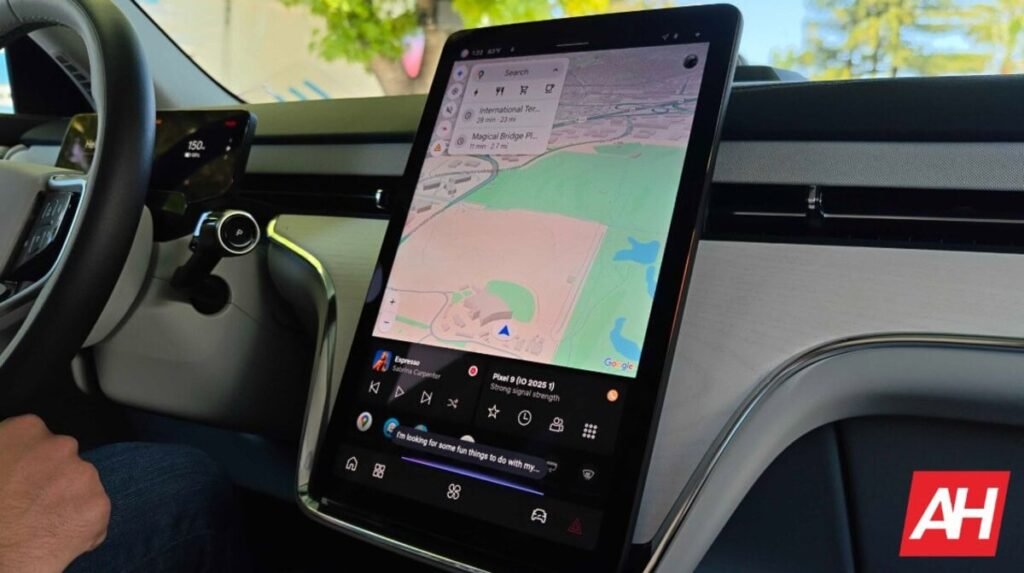

If you use wired Android Auto, you probably know there is a handy setting that lets the app launch even when your phone is locked. You plug the cable in, and your maps should just pop up on the dashboard. Lately, though, many drivers have been plugging their phones in only to stare at a blank car screen as the Android Auto app simply refuses to start until you manually unlock the device.
The issue rendered that specific shortcut completely useless. Without any error messages on screen, troubleshooting this has been incredibly annoying. Drivers have spent months buying new USB cables, cleaning out their charging ports, and blaming random software updates. However, a look inside the code of the latest Android Auto update (version 17.2) by Android Authority shows that the culprit isn’t a broken cable or a glitch at all. It is actually a security setting doing its job a little too well.
The high-security roadblock
The connection roadblock comes down to a quiet conflict with Android’s Advanced Protection Mode. This is Google‘s highest tier of security, designed to lock down your device against unauthorized physical access. One of its main features is strict USB protection. The moment your handset locks, Advanced Protection completely shuts off data communication through the USB-C port.
This creates a textbook system clash. Android Auto tries to establish a data connection while the phone is locked, but Advanced Protection steps in and clamps the port shut. The option prioritizes your security over your dashboard convenience.
Clear explanations are finally coming
The good news is that Google isn’t changing how the security feature works. Instead, it is finally adding clear explanations so you don’t lose your mind trying to fix a broken connection.
According to code strings, the “Start Android Auto while locked” menu will soon display a clear warning if you have this security shield active. The text will explicitly state that auto-connection over USB is disabled by Advanced Protection Mode. It will also remind you that wireless connections still work perfectly.

Additionally, if you plug your locked phone into a car via USB while the security mode is on, your phone will send you a quick notification. It will plainly state that Advanced Protection is active and that you need to unlock the phone. It is a minor interface tweak, but it immediately clears up the confusion and tells you exactly what to do to get your maps back on the road.
The Android Headlines Take
One of the things we look for most of the time when we get into our vehicles is immediacy. We want everything to work right away so we can start the engine and get to our destination. Having a feature enabled by default that prevents Android Auto from connecting in a scenario as common as having your phone locked, and without offering an explanation of what’s happening, is a frustrating oversight on Google’s part. Many of the connectivity issues that constantly arise are likely related to this UI design flaw. Therefore, it’s good that the company is finally addressing the problem, even if it has taken much longer than it should have.
The post Why Android Auto Mysteriously Fails to Start on Locked Phones—and How Google Is Fixing It appeared first on Android Headlines.