Apple’s iOS 27 Is Ready to Roll Out
Every time Apple drops a big iPhone update, CarPlay usually gets a little something – even if it barely gets a mention on stage. Over the years, we’ve seen CarPlay pick up new tricks, interface tweaks, and a steady stream of quality-of-life upgrades with each iOS refresh.
Last year’s iOS 26 update was a big one for CarPlay, bringing a fresh look, more ways to make it your own, and setting the stage for Apple’s so-called Intelligence to dig in deeper.
Now it’s iOS 27’s turn in the spotlight. Apple’s next big update is almost here, and while it’s more about polishing than reinventing the wheel, CarPlay still gets a handful of upgrades worth your attention. Navigation quirks, audio hiccups, and steering wheel gremlins are all getting some love, so there’s actually something to look forward to when the update drops.
HotshotTek/YouTube
The Release Candidate Shows Apple’s Near-Final CarPlay Update
The iOS 27 RC (Release Candidate) is essentially Apple’s final testing build before the public release. Barring any last-minute bugs, this is the software version expected to ship to compatible iPhones.
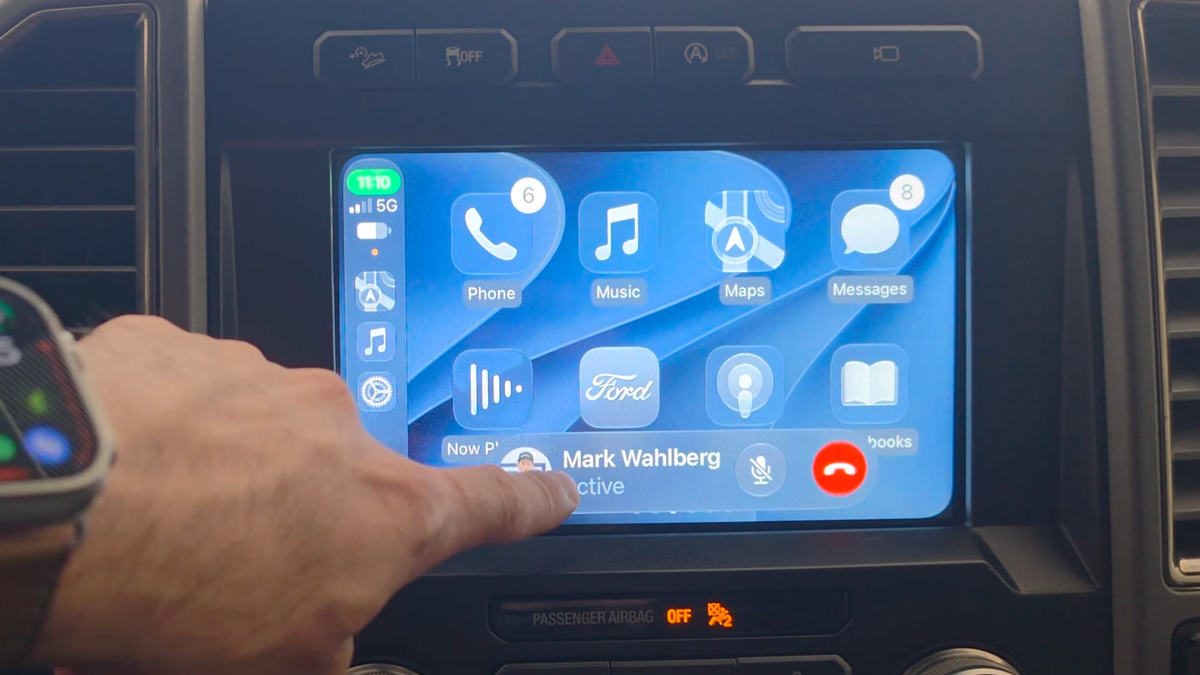
One of the first visual changes users will notice is a refreshed CarPlay look. Apple added new wallpapers and gave a bunch of app icons the shiny Liquid Glass treatment. The tweaks are subtle, but they clean things up and help CarPlay look more at home alongside iOS 27 on your iPhone.
Apple Music finally gets a playback scrubber. Now you can jump to any spot in your song, podcast, or whatever you’re listening to, right from CarPlay. No more mashing skip and hoping for the best.
If you’ve got a big infotainment screen, Apple Music now gives you proper play and pause controls in a new media menu. Smaller screens get a compact button instead. Browsing playlists is easier too, with new filters for playlists and favorites – and Apple says third-party music apps can get in on the action as well.
HotshotTek/YouTube
Maps, Siri, Widgets, and Everyday Driving Get New Tricks
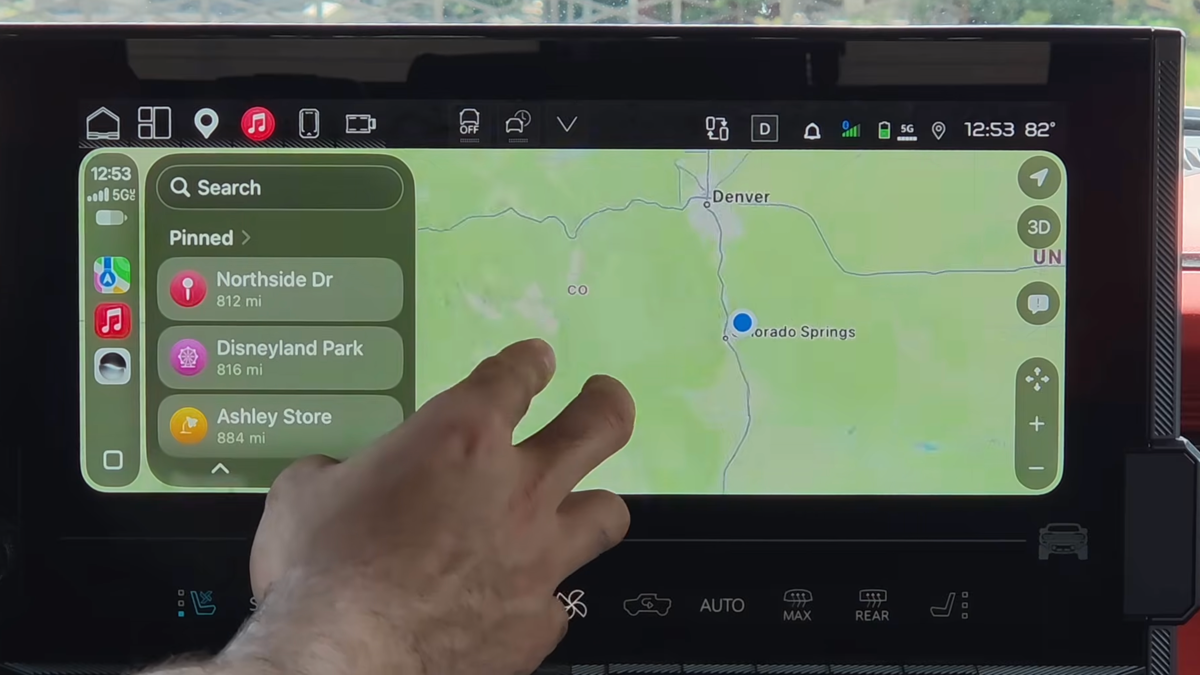
Apple Maps is loosening up, too. Now you can beam navigation directions from CarPlay straight to your car’s built-in infotainment or digital dash – if your ride supports it. Newer cars might do this automatically, but the manual share button is a handy backup for those with factory nav systems. Pinch-to-zoom finally lands in Maps, too. Whether it works depends on your car, though.
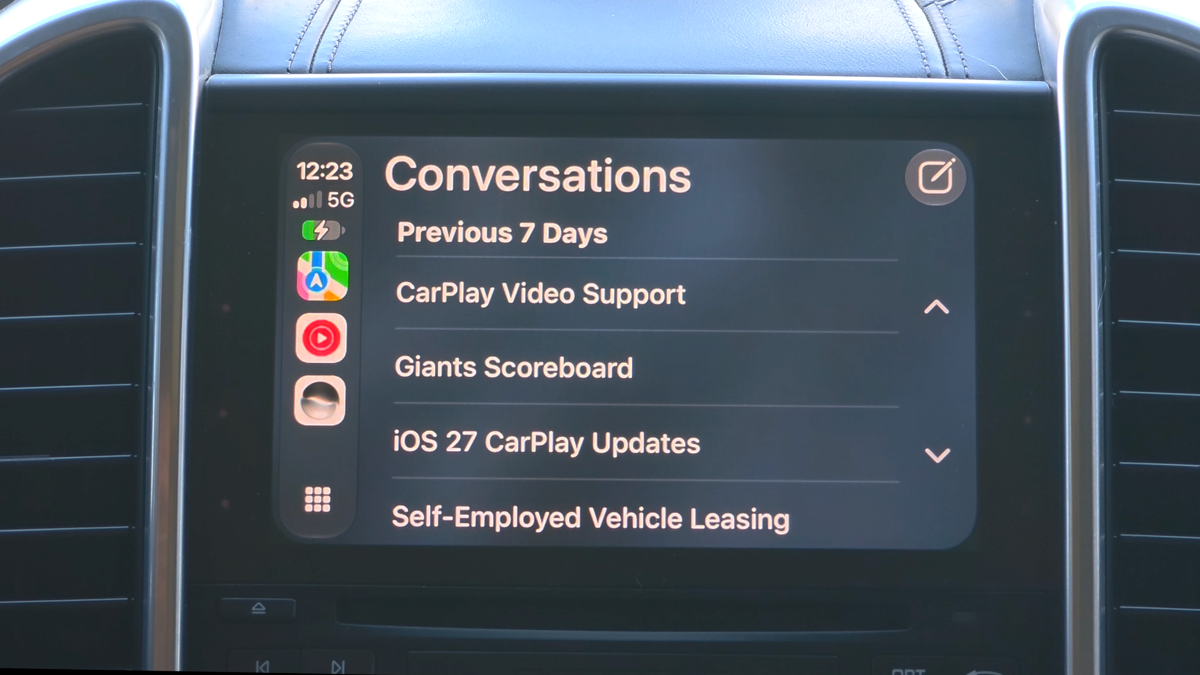
Siri’s getting smarter behind the wheel, too. Now, if she’s not sure what you said while dictating a message, she’ll ask a follow-up instead of firing off a mystery text. iOS 27 also brings a dedicated Siri app to your iPhone, so you can pick up old conversations without starting from zero.
CarPlay’s widget screen is finally getting some love. Now, you’re not stuck with just CarPlay widgets – iOS 27 lets compatible iPhone widgets show up right on your dash.
Apple Watch fans aren’t left out, either. When your iPhone disconnects from CarPlay, your Watch saves your car’s last known spot and uses Backtrack to help you find it if you forget where you parked.
HotshotTek/YouTube
Rolling Out Soon
Apple squashed a bunch of CarPlay bugs before launch, including steering wheel media controls that wouldn’t behave and navigation panel weirdness, as well as the bug where your stereo could go silent after blasting Spatial Audio.
However, one feature is still missing: video playback through CarPlay while parked. Apple’s been teasing this since iOS 26, but it’s still a no-show in iOS 27 RC as they wait for carmakers to get on board.
Apple is set to roll out iOS 27 to compatible iPhones soon after the Release Candidate wraps up, so you’ll get all these CarPlay upgrades in a regular software update.