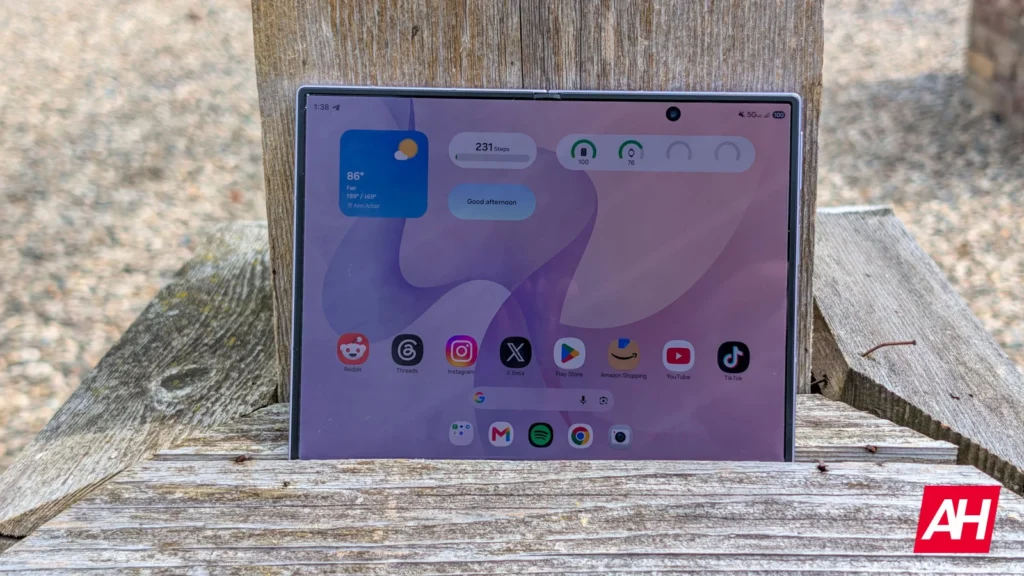

Samsung’s Galaxy Z Fold 8 introduces a new form factor to the foldable market. Its wider aspect ratio makes it well-suited for content consumption. It’s no surprise that the foldable has been a hit since day one, with sales continuing to climb. However, if you own a Galaxy Z Fold 8, you may have come across a weird app misalignment bug recently. But don’t fret, as Samsung has a fix in place for it.
Galaxy Z Fold 8’s app misalignment bug leaves some icons impossible to move
The issue is causing app icons to appear in places where they shouldn’t. For context, on Samsung’s community forum, Galaxy Z Fold 8 owners have shared screenshots showing app icons overlapping one another on the home screen. Some apps are even relocating to areas beyond their borders. The issue still exists despite locking the home layout and rearranging the apps separately. The app arrangement reverts to a mess after a couple of days, as per one affected user.
“The app even went into a strange place and won’t move,” the user adds. Another Galaxy Z Fold 8 owner says some apps are moving into the area between the panes, making it impossible to select or move that icon.
Update the Home Up Good Lock module
Fortunately, a member of Samsung’s Good Lock support team has responded on the matter, confirming the app misalignment bug affecting Galaxy Z Fold 8 users. Samsung appears to have fixed the problem in a new Home Up update. The support member suggests updating Home Up to version 18.0.00.36 by tapping the update icon next to Home Up under Good Lock > Apps.
Once you install the update, you can rearrange the misaligned app icons through Home Screen Edit. If you have been facing the issue, it’s recommended that you install the update right away.


The post Samsung Addresses Galaxy Z Fold 8’s App Misalignment Bug appeared first on Android Headlines.