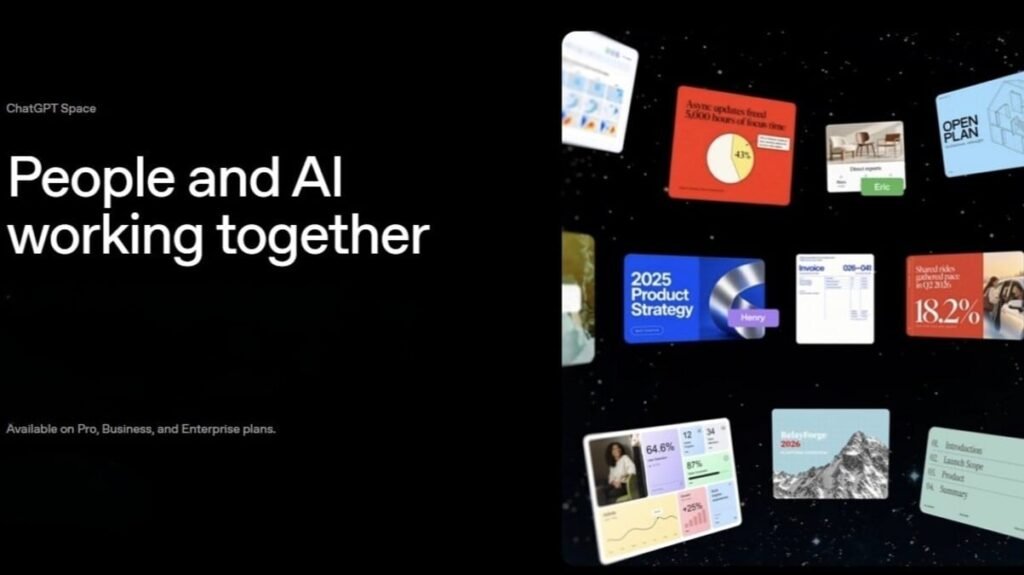

OpenAI wants to fix one of the most tedious parts of using ChatGPT: the constant copying and pasting. Up until now, you would ask the chatbot for help, copy the output, drop it into Google Docs, and start tagging your coworkers for feedback. OpenAI’s ChatGPT Space tries to solve that back-and-forth by creating a shared digital room where teams, ChatGPT, and personal Dots agents can build and edit documents side by side.
The feature essentially replaces the old Library section for Pro, Business, and Enterprise accounts. Instead of holding static chats, Space holds folders, uploaded files, and interactive documents called Pages. Crucially, the AI does not sit in a side panel like a browser extension. It sits right on the canvas with everyone else. The feature arrived alongside GPT-6.1 Sol, the always-on AI agents Dots and a new, expensive $500 Pro tier.
Working inside Pages and grabbing automatic meeting notes
Pages let you combine text, interactive charts, images, checklists, code blocks, and embedded files on a single canvas. You can take an existing conversation with ChatGPT and flip it into a Page with one click, create nested subpages for bigger projects, or leave inline comments to tag teammates or ask @ChatGPT for edits.
Everyone in the space works using their own ChatGPT instance. So, personal settings stay intact while team members collaborate in real time.
OpenAI is also bringing a dedicated meeting plugin to its macOS desktop app for Pro and Business tiers. The tool listens during meetings, writes up summaries and action items, and drops the final notes straight into a designated Space as a Page. Once the notes are generated, the plugin deletes the recorded audio right away.
To address privacy concerns around company data, OpenAI confirmed that its Private Intelligence system keeps internal files protected and excludes uploaded material from AI training sets.
Bringing ChatGPT directly into Slack and Microsoft Teams
OpenAI is also moving its chatbot deeper into day-to-day office chat. Business and Enterprise users can now tag @ChatGPT inside Slack and Microsoft Teams channels or direct messages to summarize long threads or generate presentation slides on the fly. Looking ahead, OpenAI teased shareable user profiles for web apps and plugins, along with collaborative slides that export straight to PowerPoint and Google Slides.
ChatGPT Space is live today on the web and desktop apps for Pro, Business, and Enterprise plans. The mobile app lets you search, read, and share Pages for now, though full editing tools on phones will arrive in a future update.
The post OpenAI Launches ChatGPT Space: A Shared Hub for Documents and AI Team Collaboration appeared first on Android Headlines.