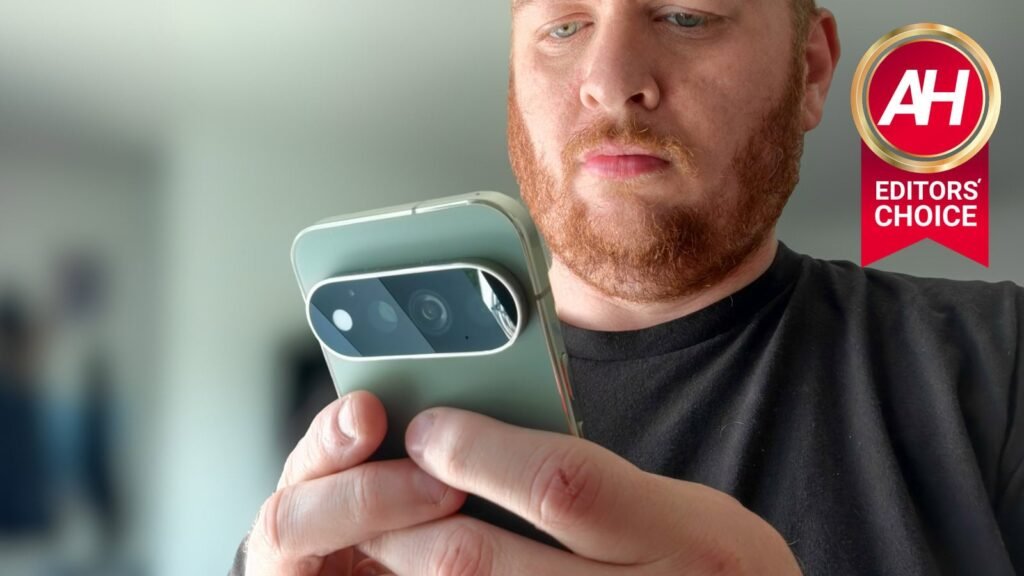

The Pixel is such an interesting device for me. You see, the Nexus and Pixel devices were my daily drivers for most of the year – starting with the Galaxy Nexus all those years ago. I absolutely loved what Google was doing with its software and the hardware. But over the years, I’ve fallen out of love with the Pixel. Back in 2020, I actually took the jump and started using an iPhone. Now, every time there’s a new Pixel device, my first thought is, “Can the Pixel 11 Pro get me off of the iPhone?” This might be the closest Google has ever been to doing just that.
On paper, the Pixel 11 series doesn’t have many upgrades. That’s fine. With Google, it’s more about the experience than the specs. It always has been, but it’s even more important now with Tensor. When Google first announced Tensor with the Pixel 6, I was pretty excited. Google having full control of its hardware stack, essentially, should be a good thing for the user experience. But in actuality, it wasn’t. However, I think the Pixel 11 series may have finally hit its stride.
Couple that with the fact that the Pixel 11 Pro has less RAM than the Pixel 10 Pro, with a $100 price increase. Sure, you can say it’s not a price increase because they ditched the 128GB storage model, so the Pixel 11 Pro 256GB is the same price as the Pixel 10 Pro 256GB, but you’re losing 4GB of RAM. So it’s a price increase in my book.

The Pixel 11 Pro doesn’t look like much of an upgrade on paper. After a week and a half of daily use, I can tell you the spec sheet is lying to you.
Pros
- Best-looking Android phone on the market, camera bar design prevents wobble and enables PixelSnap magnetic charging
- Noticeably cooler thermals than the Pixel 10 Pro, an 11-degree drop in stress testing
- New MediaTek modem delivers about 10% faster speeds and better signal than the Samsung modem it replaces
- Battery life is a real improvement, outperforming even last year’s larger Pixel 10 Pro XL
- Faster charging overall, plus Qi2.2 support brings 25W wireless charging that was previously XL-exclusive
- 7 years of OS updates
- Software feels snappy, no lag despite the “mid-range” Tensor chip
Cons
- $100 price increase over the Pixel 10 Pro, and you’re actually getting 4GB less RAM
- Still trails Samsung and OPPO badly in raw benchmarks like AnTuTu
- Battery life is better but still can’t get through a full day as reliably as an iPhone
- Bezels are still thicker than competitors like OPPO
- PowerVR GPU still struggles with games like Genshin Impact
Google Pixel 11 Pro Specs
Network
| Types | GSM / HSPA / LTE / 5G |
Display
| Type | Super Actua (LTPO) |
| Size | 6.3-inch |
| Resolution | 1280×2856 |
| Refresh Rate | Smooth Display (1Hz – 120Hz) |
| Brightness | 2,400 nits HDR / 3,600 nits peak |
| Protection | Corning Gorilla Glass Victus 2 with anti-glass shield |
Body
| Colors | Canyon, Olive, Fog, Obsidian (Matte) |
| Dimensions | 152.8 x 72.0 x 8.6 mm (6.0 x 2.8 x 0.3 inches) |
| Weight | 204g (7.2oz) |
| Build | Aluminum frame, glass back |
| SIM | Dual eSIM (two active eSIMs; stores 8 more eSIMs) [US] / Dual SIM (one nano SIM and one eSIM) or (two eSIMs) [JP] / Dual SIM (Single nano SIM and eSIM) [all other regions] |
| Protection | IP68 |
Platform
| OS | Android 17 (7 years of updates) |
| SoC | Google Tensor G6 |
| Coprocessor | Titan M3 Security coprocessor |
Memory
| RAM | 12GB/16GB |
| Storage | 256GB, 512GB, 1TB |
Cameras
| Main | 50MP, f/1.68, 1/1.3″, Octa PD Wide |
| Ultrawide | 48MP, f/1.7, 1/2.51″, 123°, Quad PDAF |
| Telephoto | 48MP, 5x optical zoom, f/2.8, 1/1.95″, Dual PDAF |
| Selfie | 42MP, f/2.2, 95°, Dual PDAF |
| Video Capture | 8K 24/30fps, 4K 24/30/60fps, 1080p 24/30/60fps |
Sound
| Speakers | Dual stereo speakers |
| Audio Jack | No |
Battery
| Capacity | 4,850mAh |
| Charging | 30W; up to 55% in about 30 minutes |
| Charger | Not included |
Network bands
| 2G | GSM 850 / 900 / 1800 / 1900 |
| 3G | HSDPA 800 / 850 / 900 / 1700(AWS) / 1900 / 2100 |
| 4G | 1, 2, 3, 4, 5, 7, 8, 12, 13, 14, 17, 18, 19, 20, 25, 26, 28, 29, 30, 38, 40, 41, 48, 66, 71 |
| 5G | 1, 2, 3, 5, 7, 8, 12, 14, 20, 25, 26, 28, 29, 30, 38, 40, 41, 48, 66, 70, 71, 77, 78, 258, 260, 261 SA/NSA/Sub6/mmWave |
Connectivity
| Sensors | Fingerprint (under display, ultrasonic), accelerometer, gyro, proximity, compass, barometer, temperature |
| Location services | GPS, A-GPS, Glonass, Galileo |
Google Pixel 11 Pro Review: Design and Build Quality
I’ve said this since Google redesigned the Pixel with the Pixel 9 two years ago: it’s the best-looking Android phone on the market right now. It’s not just the looks either; the camera bar was a brilliant design decision. It meant Google could easily add magnetic Charging, which they call PixelSnap; it also means that when the phone sits on a table, it won’t wobble endlessly. That’s one of my biggest gripes with Samsung phones, unfortunately.


Google is still using the flat sides with glossy rails on the ‘Pro’ models, except for the Obsidian color, which is fully matte. Hopefully next year we’ll get matte rails on all the colors. This form factor really feels incredible to hold in the hand. It’s one of the big reasons why it’s been so hard to put the Pixel 11 Pro down over the past week and a half. It’s just so damn comfortable.
Here in the US, it’s still eSIM only. Unfortunately, that didn’t bring a bigger battery than the rest of the world, as Apple has done with the iPhone. Google did add a light to the back of the phone, within the camera bar. This is called HiLight, and honestly, the rumored name ‘Pixel Glow’ was much better. Right now, it is pretty limited, but it is a cool addition. It also means the entire camera bar is now glass, instead of a mix of glass and metal. It looks much cleaner to me.
I have the Olive colorway for the Pixel 11 Pro, and while I absolutely loved the Moonstone from last year, this color looks amazing. The Canyon also looks great – which we have on the Pixel 11 Pro XL. It’s a darker green with a sort of gold or bronze frame, and the contrast looks so great. I’ve said this before, and I’ll say it again: Google is the second-best when it comes to phone colors, behind only Motorola. For some reason,n most smartphone makers don’t understand that we want vibrant colors – Motorola does, in fact;t most of the units they sell are vibrant colors.
All in all, the hardware is still great this year, the design is still amazing, and it has me excited for what the potential redesign next year could look like. Google has said that it will do a redesign about every three years, which means the Pixel 12 is redesign time.
Google Pixel 11 Pro Review: Display
This year, the Pixel 11 Pro stuck with the same 6.3-inch display. This is a 1280p display that’s gotten even brighter this time around. It can now hit 2,400 nits in high brightness mode and 3,600 nits at peak brightness. Not the brightest display on the market, but it is pretty darn close. That means that, outdoors in direct sunlight, you won’t have any issues seeing the display. In fact, I’ve used this outdoors quite a bit over the past week to really test out the thermals, and was shocked at how well the display looked outside. Now in hot weather, it will dim after a while, like virtually every other phone on the planet. But until then, it looks great.

Colors on this display continue to look amazing, really popping out at you. The bezels are still on the thicker side, but honestly, I don’t even care. The phone looks great, and the bezels don’t get in the way. Sure, I’d like to have thinner bezels like what OPPO has on its phones. But is this a dealbreaker? Not by any means.
The single spec that I really wish Google would work on with its displays is actually PWM. Google’s not alone, but they do have the lowest PWM of most phones. We’re looking at 540Hz, which is incredibly low. Currently, HONOR does the best displays in my opinion with a PWM of 4,320Hz and all of the eye comfort stuff they have included with their displays. In the image above, you can see some black lines across the display, that’s PWM. With a higher PWM rate, those lines would disappear. But that’s not the reason for my complaining. It’s because a lower PWM rate means you’re more likely to get a headache after using your phone for an extended amount of time. If you want to learn more about PWM, Nick over at Android Central has put together a really good explainer on what PWM is.
Google Pixel 11 Pro Review: Performance
The big question with the Pixel every year since the Pixel 6 is how is performance? Google’s Tensor chipsets are known for not having the best performance, matching up on benchmarks more with 3-4 year old flagship chips than current ones. But with Google, that doesn’t matter. Google has always said it isn’t chasing peak performance with Tensor. They are focused on the experience, and I think with Tensor G6, that’s truer than ever.
With the Tensor G6, it is still a 3nm chip, despite what the rumors were saying, using TSMC’s N3P process. So it is not the first 2nm chip to hit the market, unfortunately. But that’s fine. Google did make some big strides in the CPU, which we’ll see in the benchmarks in a moment. It also has an ISP built specifically for the Pixel, which is resulting in better photos.
But the thing I really wanted to test was heat management. With the Pixel 10 Pro XL I had been carrying around for the past few weeks, the heat management was incredibly bad. That also meant the battery life was bad. Some of that came down to the modem too, especially with the standby issues. But both of those have been addressed.
I’ve noticed that the Pixel 11 Pro is noticeably cooler and runs much smoother than its predecessor. That’s a real upgrade we needed to see. The new modem, this time from MediaTek instead of Samsung, makes a big difference too—better signal and faster speeds. In my testing, side-by-side with the Pixel 10 Pro XL on the same network (AT&T via US Mobile), I was getting about 10% faster speeds. With a better signal, the phone is also more efficient on both mobile data and WiFi.
Those two things right there make a huge difference for battery life, which we’ll talk about next. And it has me this close to switching my eSIM from the iPhone 17 Pro Max to the Pixel 11 Pro.
Benchmarks
Now let’s talk about Google’s favorite thing, benchmarks. Google actually blocks benchmark apps from the Play Store on Pixel devices. The block usually doesn’t get removed for a few weeks after launch. So we have to sideload Geekbench 7, 3DMark, and AnTuTu.
Starting with Geekbench 7, the new version Primate Labs launched about a month ago. So we’re still retesting older devices for comparison in these reviews. But we do have it versus last year’s Pixel 10 Pro to compare.
| Device | Geekbench 7 CPU single-core | Geekbench 7 CPU multi-core | Geekbench 7 GPU |
|---|---|---|---|
| Google Pixel 11 Pro | 2,748 | 7,557 | 3,123 |
| Google Pixel 10 Pro | 2,331 | 6,195 | 2,004 |
The good news is that all the scores are higher. The bad news is, they’re still not beating the competition – though the CPU scores did beat the Galaxy Z Fold 8 Ultra, surprisingly. On the CPU side, the Pixel 11 Pro is about 17% and 21% higher, respectively. The GPU also took a noticeable leap of about 55%—all of which line up with Google’s claims, which is good to see.
| Device | AnTuTu |
|---|---|
| Google Pixel 11 Pro | 1,992,456 |
| Google Pixel 10 Pro | 1,240,243 |
| Samsung Galaxy S26 Ultra | 3,824,993 |
| OPPO Find X9 Pro | 3,403,119 |
AnTuTu shows that the Pixel 11 Pro is still far behind the competition. Keep in mind that AnTuTu does test every part of the phone, not just the CPU and GPU, but also the memory and user interface. It is a nice upgrade from the Pixel 10 Pro, with a 60% higher score, but it’s still about half of the Galaxy S26 Ultra’s score.
Finally, let’s talk about the 3D Mark Wildlife Extreme Stress Test. This is where we can see how much Google is throttling the Tensor G6 and how well it handles heat. The test runs the same loop 20 times, giving us a score for each loop, and it also gives a stability percentage. The best loop was 2,956, and the lowest was 1,973, with a stability of 66.8%. While that might sound bad, that stability is actually pretty similar to most other phones. The loops are still considerably lower than the Snapdragon 8 Elite Gen 5, however.
Surprisingly, these loop scores and stability on the Pixel 11 Pro are lower than the Pixel 10 Pro from last year. Still, the temperature is considerably lower, which leads us nicely into the thermals section.
Thermals
Perhaps more important than any other phone these days is the thermals of the Pixel 11 Pro. Google didn’t put in a larger vapor chamber this year, but it was “improved.” I’m not even sure I can tell it was improved, since we now have a more efficient processor and a much more efficient modem. But we still ran our thermal tests on the Pixel 11 Pro.
We ran three tests: 3DMark WWiWildlifetremeStress Test, Genshin Impact, and 4K60 video recording. Typically, the stress test posts the highest temperature, followed by Genshin Impact, then video recording. With Genshin Impact, we play for an hour at max brightness and max graphics (which isn’t saying much given the PowerVR GPU inside) and then record the temperature. For video recording, we record at 4K60 for 10 minutes and record the temperature.
It’s worth noting that these are not done back-to-back-to-back. These are done on separate days so they start at roughly the same ambient temperature.
| Device | 3D Mark Wildlife Extreme Stress Test | Genshin Impact | 4K60 Recording |
|---|---|---|---|
| Google Pixel 11 Pro | 102.2 | 104.3 | 98.2 |
| Google Pixel 10 Pro | 113.9 | 105.8 | 98.7 |
| Samsung Galaxy S26 Ultra | 102.9 | 95.1 | 97.8 |
| OPPO Find X9 Pro | 112.4 | 92.4 | 87.8 |
Perhaps the most important reading here is the stress test, since that is the hottest your phone will really ever get, and Google made a huge improvement this year. We’re looking at an 11-degree difference year over year. It actually beat the Galaxy S26 Ultra here, which has a massive vapor chamber and is also much larger overall. But I don’t believe this was entirely due to improvements to the chip and modem; I think Google is throttling it a bit, since the scores on that benchmark were lower than last year’s Pixel 10 Pro.
On Genshin Impact, the temp was higher, but keep in mind this phone really struggles to play games like this because of its PowerVR GPU, which Genshin no longer supports. Definitely important to keep in mind if you’re planning to buy the Pixel 11 Pro.
Finally, the camera is marginally cooler than the Pixel 10 Pro; it’s about the same temperature as most phones, except the Find X9 Pro.
Overall, I think Google did a good job managing heat this year, even if they did decide to throttle the CPU more to keep it from emitting too much heat.
Google Pixel 11 Pro Review: Battery life and Charging
The other area I was most excited to check out with the Pixel 11 Pro was battery life. This is tied into the heat and modem issues of previous Pixels. Google actually made the battery smaller this year, but it’s a marginal decrease. About 0.4% smaller, which Google told me at our briefing that we should see about the same battery life as last year. Which wasn’t exactly impressive. As the Pixel 10 series had pretty mediocre battery life.
But I’m happy to report that, with my usage, the Pixel 11 Pro is actually outperforming the Pixel 10 Pro XL – that’s right, the larger Pixel from last year. Typically, with the Pixel 10 Pro XL, I would need to charge before bed, usually around 5P5 PMn a normal day. The Pixel 11 Pro, however, can get me through a full day, but it is still a bit tight. Some days I did need a small charge-up before bed, around 7 PM.
For me, it still can’t quite get me through the full day like my iPhone 17 Pro Max can. But it is a good improvement over last year’s Pixel 10 Pro and Pro XL.

On the charging front, we’re looking at 30W charging here,e which is fine. It’s not the best, but it’s not the worst either. It can still fully charge in a little over an hour – only about 20 minutes longer than the Galaxy S26 Ultra in my testing, which is odd, seeing as the Galaxy S26 Ultra touts 60W charging. The bigger deal here is that it now has Qi2.2, which was previously exclusive to the Pixel 10 Pro XL. This brings faster 25W wireless Charging to the Pixel 11 Pro.
Basically, battery life and Charging are improved, but they do still need some work to live up to the competition, even in the US.
Benchmarks
Similar to the performance benchmarks, we also run benchmarks for battery life and Charging. For battery life, we charge the phone to 100% and let it sit for about another hour on the charger, to ensure that the phone is truly at 100% (some phones will indicate 100% but won’t fully charge until 20-30 minutes later). Then set the brightness to around 200lux (typically about 80-90% brightness depending on the phone), load a 24-hour YouTube video, start playing it, and unplug the phone. We let this video play until the phone is down to about 1%, and record the time it takes to get there.
For charging, we run this test right after the battery test, since the battery is already down to 1% or dead. We plug it into the charger that came in the box, or one that can max out its charging speed, and time how long it takes to reach 100%. In this instance, we used Google’s 67W USB-C charger that is made for the Pixel, along with the cable that came in the box with the Pixel 11 Pro. You can see the results below.
| Device | Battery Life | Charging Time |
|---|---|---|
| Google Pixel 11 Pro | 23 hrs, 20 mins | 1 hr, 18 mins |
| Google Pixel 10 Pro | 19 hrs, 43 mins | 1 hr, 20 mins |
| Samsung Galaxy S26 Ultra | 23 hrs, 45 mins | 58 mins |
| OPPO Find X9 Pro | 24 hrs, 28 mins | 1 hr, 6 mins |
As we can see here, quite the improvement over last year’s Pixel 10 Pro. In fact, it almost beat the Pixel 10 Pro XL. This is good news for potential Pixel buyers.
Google Pixel 11 Pro Review: Software
Software is always Google’s bread and butter when it comes to the Pixel, and that’s no different here. The Pixel 11 Pro ships with Android 17 QPR1 out of the box, and it will get 7 years of updates, like every other Pixel since the Pixel 8.
But this year brings several new software features. Of course, the big one is HiLight. This is the new light on the back of your phone that will indicate when Gemini is listening to you—big whoop. I guess I’m in the minority of people who won’t put their phone face down on a table, or any other surface, so I haven’t really seen the HiLight in action much. It can be used for calls as well, but you’re limited to just 5 colors for different favorites. And that’s it. That’s all that HiLight can do. I’m not even kidding. Google also told me that it has no plans to open this up to third-party apps either.

There are some legitimately useful features on the Pixel 11 Pro, though, like Live Translate for Media. Say you’re watching a TikTok in Spanish; you can use Live Translate to dub the audio into English. It’s not just captions this time. I don’t often watch videos in other languages, but this is legit a great feature to have.
Finally, we have Gemini Intelligence. Google’s pitch with Gemini Intelligence is that it’s proactive and can handle those mundane tasks for you. Like putting together a shopping list and ordering your groceries on Instacart or DoorDash. Sounds cool, right? Well, in actuality, it’s quite slow at doing this. Now,w yes, this will run in the background most of the time, so how long it takes isn’t a huge deal. But I was a bit surprised by how slow it could be.
One of the cooler features that doesn’t always work is the proactive suggestions. Say you are texting with a friend and they mention a restaurant to visit for lunch. You’ve never heard of it, so you want to Google it or find out where it is. Open up Google Maps, and it’ll appear as a suggestion in the keyboard. It’s great in theory, but in my testing, it rarely actually popped up for me. And if this sounds a lot like Magic Cue under another name, that’s because it is.
The software is as Google-y as ever, and let’s face it, that is the main reason why you are buying a Pixel in the first place. Despite the “mid-range” Tensor chip, the software is surprisingly snappy on the Pixel 11 Pro. Surprisingly, I haven’t had any lag on this phone, which I couldn’t say with previous Pixels.
Google Pixel 11 Pro Review: Camera
Since the very first Pixel, these phones have been known as the camera king. Though, in recent years they have appeared to take a step back, with the Chinese really taking the reins as the king – specifically Vivo and OPPO. But Google says it’s back with the “Best Camera Yet”.

Google did make some hardware upgrades this year, so the main camera is now better with light reflections, and then the telephoto is actually larger now. So instead of a 1/2.55″ sensor, it now has a 1/2″ sensor, which also brings in 120x Pro Zoom.
For regular photos, the Pixel 11 Pro still takes amazing images. I really like the colors Google uses in its cameras; they’re right up there with vivo’s ZEISS color science. You can see several photos taken with the Pixel 11 Pro below.


When it comes to 120x Pro Zoom, yes it’s nice to have, as a way to say your Pixel 11 Pro is better than the Galaxy S26 Ultra, but in all honesty it’s not that great. It does make images sharper, but if you have any text in that image, you don’t want to use Pro Zoom. That’s because AI will still hallucinate – big surprise there.
Below are a couple of examples of the original photo at 120x and then the processed version. To be clear, this is not Video Boost where it is uploading to Google’s servers and then giving you a finished video hours later. This is pretty much instant, like most other photos.


An upgrade that Google mentioned that is actually something you’ll notice is the speed of the camera. Specifically, with Night Sight, it is not much quicker; it’s almost instant, which is mighty impressive. Some of the light smears we’ve seen with the Pixel previously are also gone in night photos. It’s a really nice upgrade here.
Then there’s Magic Capture. This is something I haven’t had a chance to test to its fullest, but I plan to use it quite a bit at IFA in a few weeks. Essentially, you tap on Magic Capture and let the phone do the rest. You don’t have to worry about framing or capturing stills from the photos. Google does all of that with AI, and includes high-res (12MP stills) from the video.

Should you buy it?
If you’ve been holding onto a Pixel 9 Pro or older, yes, the Pixel 11 Pro is worth the jump. The cooler thermals, better battery life, and faster modem fix the exact problems that made previous Pixels frustrating to live with day to day. This is the most complete Pixel experience Google has put together in years.
If you’re coming from the Pixel 10 Pro, it’s a tougher sell. You’re paying $100 more for less RAM, and the core experience isn’t different enough to justify an annual upgrade. Wait for next year’s redesign instead.
As for me, I’m closer than I’ve been in years to actually switching my eSIM back from the iPhone 17 Pro Max. The battery life still can’t quite match it, but everything else has closed the gap in a way I didn’t expect from Tensor. That’s saying something.
The post Google Pixel 11 Pro Review: Google Finally Fixed Its Biggest Problem appeared first on Android Headlines.