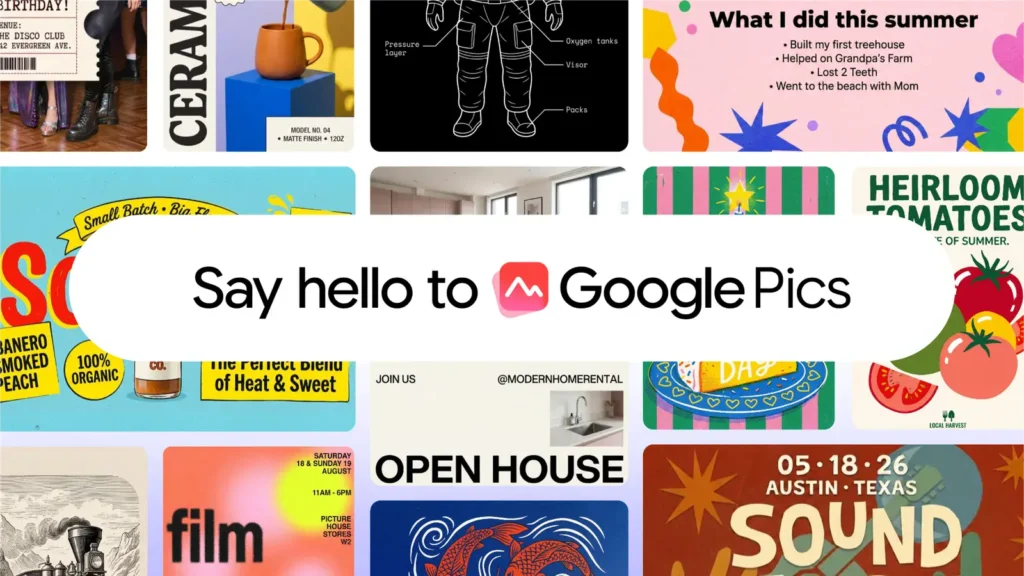

Google is taking another big step into creative digital design. Following an initial preview at Google I/O back in May 2026, Google has officially launched Pics as a direct rival to Canva, bringing its AI-powered creative editor to general availability across web and Workspace environments.
The new application relies on Google’s Nano Banana image-generation model to give everyday users pro-level editing capabilities. Instead of building graphics entirely from scratch on a blank canvas, users prompt the tool to generate visuals or upload existing assets from local storage, Google Drive, or Google Photos to start editing.
How to access the service and eligible plans
Getting started with Google Pics is pretty straightforward depending on how you prefer to work. You can jump directly to pics.new in your browser to launch the standalone editor instantly. If you are already working on a project, you can simply open any presentation or document in Google Docs or Google Slides, click on an existing image, and launch the Pics editor overlay without leaving your active tab. Google also confirmed that an update arriving in the coming weeks will let you drop files into Pics directly from Google Drive.
Access is tied directly to specific subscription tiers. On the personal side, the app is live today for Google AI Pro and Ultra subscribers, as well as Google AI Pro for Education accounts. For business teams and corporate accounts, it is rolling out across Workspace Business Standard, Business Plus, Enterprise Standard, and Enterprise Plus plans.
Precise object segmentation and text translation
To fix the unpredictability of traditional generative tools, Google built precise object segmentation right into the editor. You can highlight a specific item in a picture, move it, resize it, or tweak its style without altering the surrounding background.
The editor also handles text elements in graphics. This lets you tweak the wording or instantly translate copy into other languages, preserving the original fonts and visual formatting. Users can upscale images up to 2K or 4K, process batch edits, and invite teammates to collaborate on design projects in real time.
The all-in-one ecosystem strategy
This release highlights Google’s broader ambition to build an end-to-end environment for practically everything you do online. Think about it: if you need phone service, there is Google Fi; for internet, Google Fiber; for daily productivity, Workspace, Gmail, and Docs; for media, YouTube and YouTube Music; plus Chrome, Android, and domain infrastructure. You can essentially live inside Google’s digital boundaries without ever needing to step outside.
Launching a built-in graphic design app keeps users from spending money on external subscription platforms like Canva or Adobe Express. But the strategic benefits go far beyond monthly subscription fees. By keeping millions of marketers, students, and office workers editing graphics within its own suite, Google collects a goldmine of real-world user interaction data. That constant flow of creative feedback sharpens its underlying AI models and keeps its targeted advertising systems razor-sharp—and profitable.
The post Google Pics Launches Broadly to Challenge Canva: Edit, Translate, and Upscale Images with AI appeared first on Android Headlines.