
Google is working on a subtle makeover for Gemini Live on mobile, and it could solve one of the assistant’s most annoying quirks. Beyond a fresh visual tweak, the upcoming redesign includes a dedicated mute control that gives you much better privacy in public.
A fresh waveform animation and a dedicated mute button
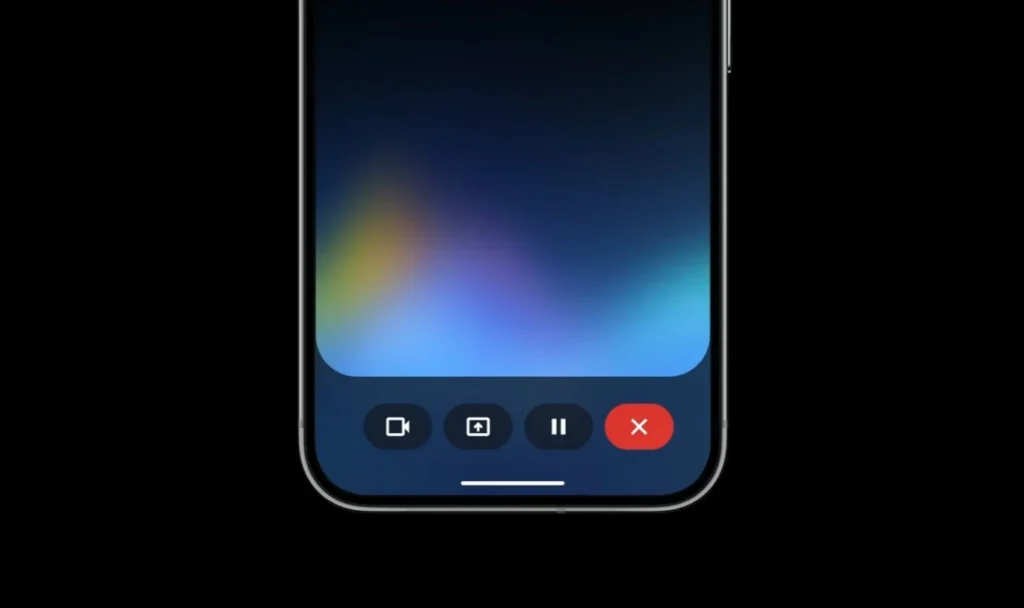
The Android Authority team spotted a redesigned interface for Gemini Live in a recent breakdown of the Google app (version 17.65.17). The most obvious visual tweak is a new waveform animation sitting at the bottom of the display. This replaces the standard pill-shaped voice indicator with a smoother graphic effect whenever you talk to the AI.
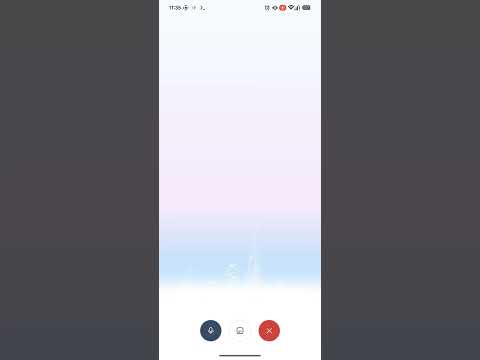
Right next to that visual update, Google added a dedicated speaker icon in the upper-right corner of the interface. That tiny control solves a frequent headache for anyone trying to use Gemini Live in a crowded room, on public transit, or during a quiet moment at work.
Shutting up voice replies without muting your phone
Currently, if you want to use Gemini Live without broadcasting audio out loud, the process feels pretty clunky. You have to turn on live captions and then lower your phone’s media volume manually. The issue with that approach is obvious: lowering your global media volume silences everything else on your phone, making it far too easy to miss alarms, phone calls, or message notifications later in the day.
The dedicated speaker button fixes that annoyance by letting you silence Gemini Live’s voice output with a single tap. Your phone’s global system volume stays exactly where you want it, so you can read written replies on screen without constantly tweaking sound settings every time you start a conversation.


Still a work in progress on mobile
Because this layout is still early in development, the test build currently lacks several Gemini Live standard features. Familiar tools like screen sharing and live video sharing are missing from this specific build, though Google will likely bring them back into the final layout before pushing the update out widely.
Google hasn’t announced a release date for this new look—or even confirmed it. Still, these tweaks clearly show the company wants to make mobile voice sessions simpler and much easier to manage in public spaces.
The post Google Is Testing a Fresher Look for Gemini Live with a Dedicated Mute Button appeared first on Android Headlines.