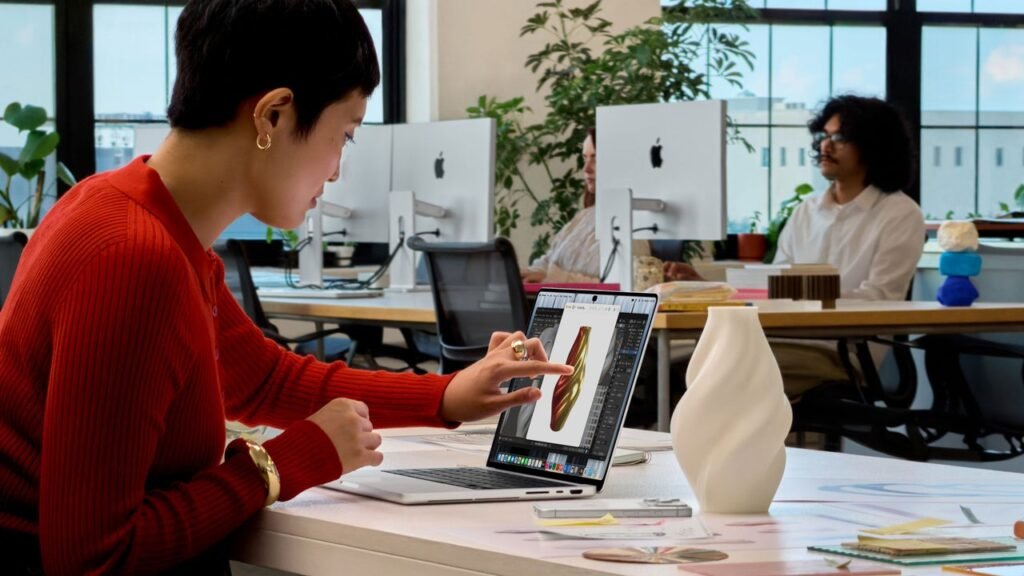
Ever since Windows 8 paved the way for touchscreen laptops, Apple’s been against them. And the company hasn’t exactly been shy about making its feelings known.
“It gives great demo, but after a short period of time you get fatigue,” Steve Jobs said in 2010. “It’s ergonomically terrible.”
“Lifting your arm up to poke a screen is a pretty fatiguing thing to do,” Craig Federighi, Apple’s senior vice president of software engineering, told Wired in 2018, adding that he didn’t anticipate ever being into the idea.
“We make the world’s best touch computer on an iPad,” John Turnus, Apple’s current CEO and former senior vice president of hardware engineering, told the Wall Street Journal in 2021. “And the Mac is totally optimized for indirect input. We haven’t really felt a reason to change that.”
Now, Apple’s reversing course.
With the newly unveiled MacBook Pro with PROLED XDR Display, Apple has done what its executives spent more than a decade arguing against: putting a touchscreen on a Mac. As for what finally changed Apple’s mind, the simplest explanation may be that the company is just getting with the times.
It’s just a Mac with a touchscreen
Typically when Apple enters an existing product category, it tries to address where its rivals have gotten it wrong, especially when it comes to how users interact with the device.
With the iPhone Duo, for instance, Apple used a “nano-texture” finish to minimize the crease and reflections found on other foldable phones, and it came up with a new interface to facilitate one-handed use on the outer screen. With the Apple Watch, former CEO Tim Cook told Fast Company that other smartwatch makers were “still using pinch-to-zoom and other gestures that we created for the iPhone,” instead of inventing new inputs like the Digital Crown. Going back to the original iPhone, Jobs bemoaned other smartphones’ reliance on physical control buttons, styluses, and keyboards, noting that they’re “they’re not so smart and they’re not so easy to use.”
Apple’s press release for the new MacBook doesn’t call out any such innovations, nor does it address the fatigue that comes from lifting your arm to poke a screen for extended periods. Its description of how the touchscreen works is in line with every touchscreen Windows laptop from the past decade-plus, noting that a tap on the screen is equivalent to clicking with your cursor.
From a marketing standpoint, the closest Apple comes to a rationale is the MacBook’s other big new feature: It’s the first Mac with an OLED screen, which Apple’s marketing video says looks “so real you’ll want to reach out and touch it.” But OLED isn’t a new laptop technology either, nor does it inherently solve the “gorilla arm” problem of extended touchscreen use.
Speaking to Wired’s Steven Levy, Apple executives provided a bit more of an explanation: People are expecting touchscreens after years of using iPhones and iPads, and Apple felt the time was right, as it didn’t have to compromise on things like weight and thickness.
“There’s a generation of young creators and young people using our MacBook Pros that expect to touch,” Greg Joswiak, Apple’s senior vice president of worldwide marketing, said.
Apple is at least making a few extra affordances for the new touchscreen. As The Verge points out, tapping the screen will cause certain elements to magnify, such as MacOS’s “traffic light” window controls and drop-down menus. Apple’s also updating its system gesture APIs so app makers can accommodate things like pinching, twisting, and multitouch. The iPhone’s “Dynamic Island” will appear on the new MacBook as well, providing a familiar touchpoint for iOS users.
Still, Apple’s not reinventing MacOS around touch controls, nor is it deviating from a traditional clamshell design. Cook’s oft-repeated quote about the perils of converging a toaster and refrigerator—a dig at merging tablets and laptops into a single form—still sort-of holds up; Apple’s only trying to do that with the iPad.
None of this means that touchscreen Macs are an unwelcome idea. While I rarely use the touchscreens on Windows laptops, they’re occasionally helpful for thumbing through articles, signing documents, and quickly tapping through a row of checkboxes. Certain creative apps can also benefit from a multitouch surface, for instance, to play chords on an on-screen piano or adjust a couple of audio mixers simultaneously. Hopefully, Apple will bring touchscreen options to more of its MacBook lineup over time, rather than just the model that costs $2,899 and up.
But don’t expect some kind of grand justification for the new Mac’s touchscreen after years of Apple’s executives insisting that it doesn’t make sense. Sometimes it’s okay to just admit that you were wrong.