
Android Auto is not without its share of annoying bugs. But Google’s team is actively fixing issues to make the experience seamless. In the latest development, the company is finally rolling out a fix for an Android Auto bug that briefly autoplays music when you start the car.
Android Auto’s autoplay bug fix is finally rolling out
While some users prefer Android Auto to start playing music as soon as they get in their cars, some prefer not to. There’s a toggle that lets you disable autoplay. However, this annoying bug leaves Android Auto briefly auto-playing music when you start the car. That is even if you have autoplay disabled. This apparently has been an issue for a while, but not anymore.
Google says “unsolicited play commands” will no longer be sent during startup if autoplay is turned off in Android Auto. This means Android Auto won’t autoplay music at startup when you don’t want it to. Besides this, Google is also rolling out a couple of other bug fixes. This is to make Android Auto’s autoplay feature work more predictably based on users’ listening habits.
There are other improvements as well
There’s now a prompt to opt out of autoplay if Android Auto notices you frequently pause playback immediately after it starts. Additionally, the company says the apps that you haven’t recently or ever used will no longer be selected for autoplay. While it’s not clear which Android Auto update fixes the autoplay issue, it is currently rolling out, Google says.
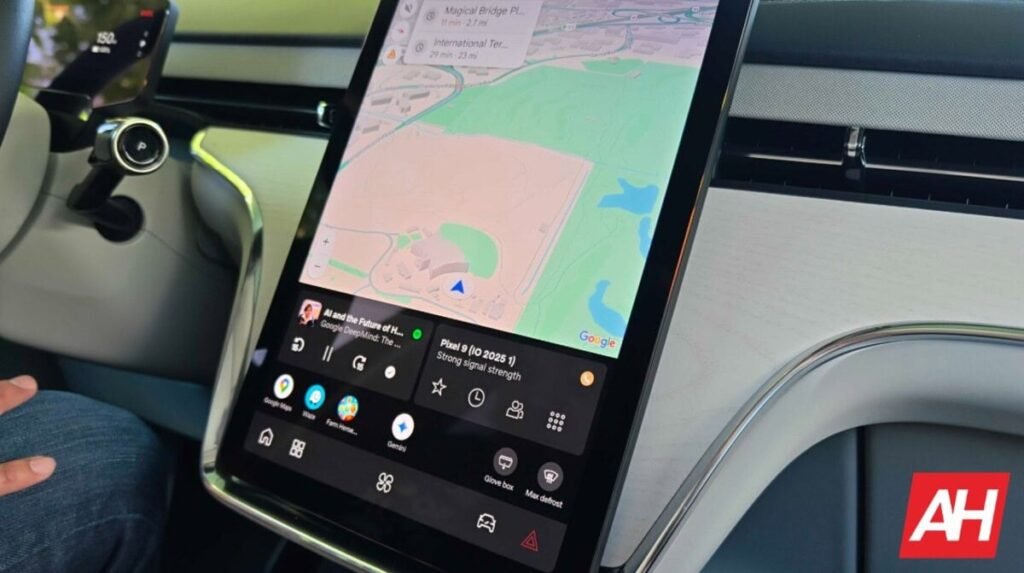
The announcement comes as part of changes that Google recently rolled out to improve the media playback experience. These include the ability to control any media app on your phone from your car dashboard, a more optimized media player UI across all screen sizes, the ability to swipe to switch between media sessions from the dashboard widget, and finally a more glanceable media player. The optimized media player experience is available for Spotify, YouTube Music, and other apps.
The post Android Auto Gets a Fix for Annoying Autoplay Bug appeared first on Android Headlines.