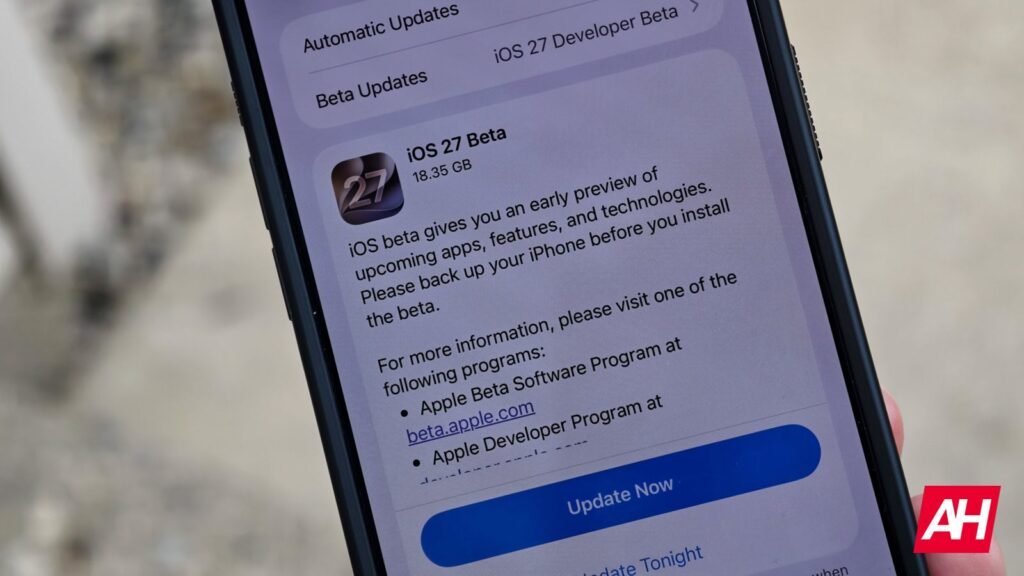

On June 8, 2026, Apple debuted iOS 27 at WWDC 2026. This is the time when Apple releases new betas for all of its operating systems, and that includes the iPhone and iPad. Right now, only the Developer Beta is available, with the Public Beta typically launching a month later. The main difference is that the Developer Beta will be a bit rougher, with more bugs and issues. So it’s advised that you do not install this on your main device.
Back in the old days, you’d need to sign up for an Apple Developer account and use your UDID to be able to get access to the beta. Luckily, Apple has made it a lot easier in recent years. Almost too easy. Here’s how you can download and install the iOS 27 Beta.
Check out the full compatibility list for iOS 27 here.
Download iOS 27 Beta
To download the iOS 27 Beta, you first need to enable beta updates. Here’s how you do this:
- Open the Settings app on your compatible iPhone or iPad.
- From there, you’ll want to tap on General.
- Next, tap on Software Updates.
- On this page, you’ll see two options at the top of the page. Tap on the “Beta Updates” option.
- Now, tap on either “iOS 27 Public Beta” or “iOS 27 Developer Beta“. If you want to get on the first beta, choose the developer beta option. The Public Beta will not be available until July 2026.
- Now, go back to the previous page, and swipe down (if necessary) to bring up the new update.
- Update your iPhone or iPad as usual.
That’s just how easy it is to download the iOS 27 beta. Keep in mind that it is not recommended to download the Developer Beta on your primary device, especially for the first couple of Developer Betas. It can be very buggy. This is meant for developers to test out and test their apps for compatibility ahead of the Public Beta.
Also, make sure you are connected to WiFi before installing the update. The first beta update is generally fairly large. The iOS 27 Beta 1 update on an iPhone 17 Pro Max is just over 18GB.
The post How to Download iOS 27 Beta appeared first on Android Headlines.