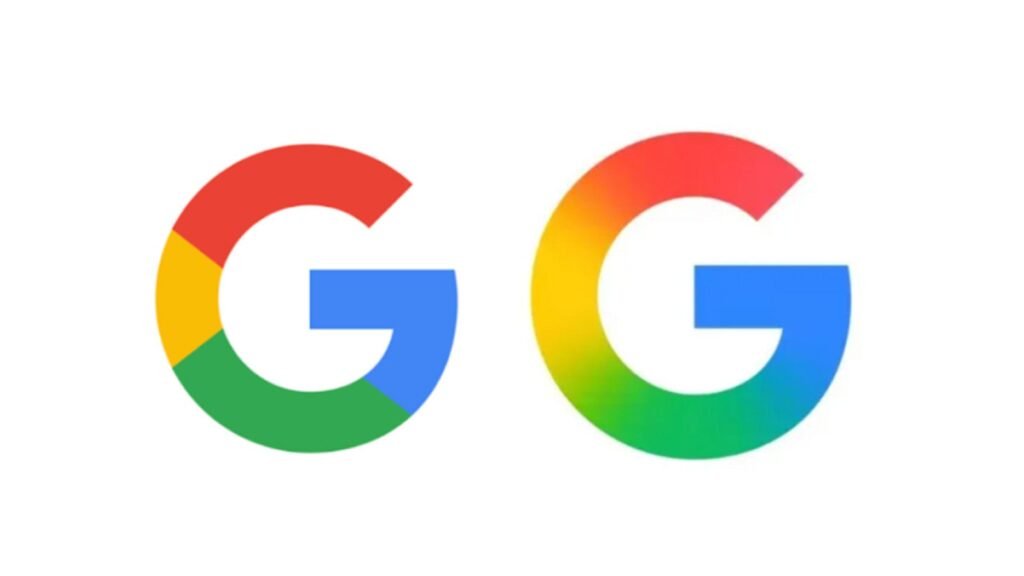

Google is expanding the gradient design for its app icons and it seems like these new styles will be available across all of Google’s apps before too long. The new gradient design isn’t the only thing changing with Google’s app icons though. Google also appears to be giving the icons a little more room to breathe as these new icons appear slightly larger.
The actual designs of the app icons appears similar with a few apps making some more significant changes. For example, Google Drive and Google Docs aren’t that different from before, but Google has removed the red section of the Drive icons leaving just the blue, green, and yellow portions, while also making those segments wider. In fact, red now only appears in the icons where it was initially part of the app design, like with Gmail. Apps like Google Calendar, Google Chat, and Google Meet, which all used to feature all four of Google’s colors in their icons, all now look significantly different with colors matching their original color scheme.
Google Sheets and Google Slides, however, are now both horizontal icons instead of vertical like before and they actually look more unique. They’re still recognizable, but notably different from before.
The Google app gradient design is coming to 13 more apps
Google is already using this new gradient design for five of its apps, including the Google app, Gemini, Google Photos, Google Home, and Google Maps. It’s now expanding this icon style to 13 additional apps. This includes Google Sheets, Google Docs, Google Slides, Google Drive, Google Meet, Google Chat, Gmail, Google Calendar, Google Tasks, Google Keep, Google Voice, Google Forms, and Google Sites.
The icon designs were shared by 9To5Google, who has obtained images of the new icons. The biggest takeaway from these changes is that Google is making it a whole lot easier to recognize each app. When you’re scrolling through a sea of apps on your phone, it can get rough looking for what you need. Especially when there are a dozen Google apps all with the same colors. That will no longer be an issue as each app icon is distinctly different. Google also removed the app containers, which is what allows the app icons to be slightly larger.

The post Google is giving its app icons a flashy and colorful new look appeared first on Android Headlines.