
Google’s Pixel Watch devices never properly supported things like media controls, timers, or stopwatches, but that appears to be changing as of a recent update that Google began pushing out this week. Prior to this update, things like timers didn’t show up with proper support on the display when the AOD feature was enabled.
You would visually see these things on the display, but there were other graphical elements displayed as well, just as if you had raised your wrist to look at the watch. This sort of defeats the purpose of the AOD in the first place, which was to display only necessary details on a black background to help conserve battery life. Before this update, timers and stopwatches would show things like a countdown ring around the edge of the display. That is no longer the case, according to Android Authority, which spotted the changes via a post on Reddit.
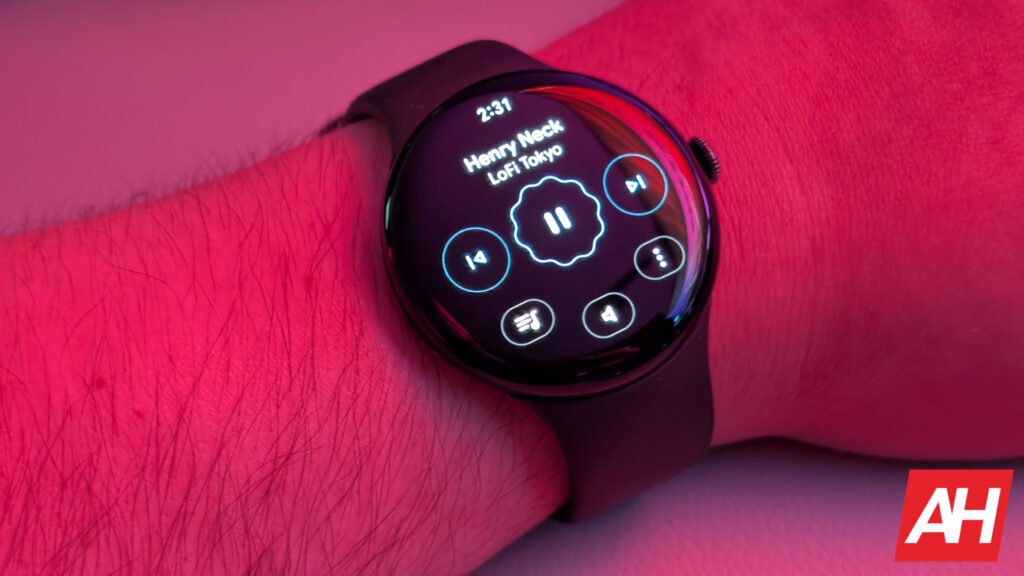
Media controls for the Pixel Watch AOD now display a low-power design
The same goes for timers and stopwatches, but when you have AOD enabled on your Pixel Watch and you start playing some music via a supported app like YouTube Music or Spotify, the media controls now display with low-power designs to both follow the aesthetic Google has set for other AOD-supported features and actually use less battery life since they aren’t full-on graphics. This is a bit of a double-edged sword, though, since AOD itself uses more battery life than when it’s not enabled. However, if you’re constantly raising your wrist to look at stuff and interact with things like media controls, then this should be a benefit to you.
You’ll also notice this same aesthetic for timers and stopwatches. If you start one of those, you’ll get the same outline of each of the design elements on-screen instead of the full set of graphics. For the media controls, for example, lifting your wrist displays the background graphics for whatever track you’re listening to, along with filled-in buttons and more color.
This set of changes for AOD support is part of Wear OS 6, which means these won’t be showing up on the original Pixel Watch. However, they should be showing up for the Pixel Watch 4, Pixel Watch 3, and Pixel Watch 2, as long as Wear OS 6 is installed. It’s also worth noting that these changes may take a little time before showing up.
The post The Pixel Watch AOD now properly supports media controls appeared first on Android Headlines.