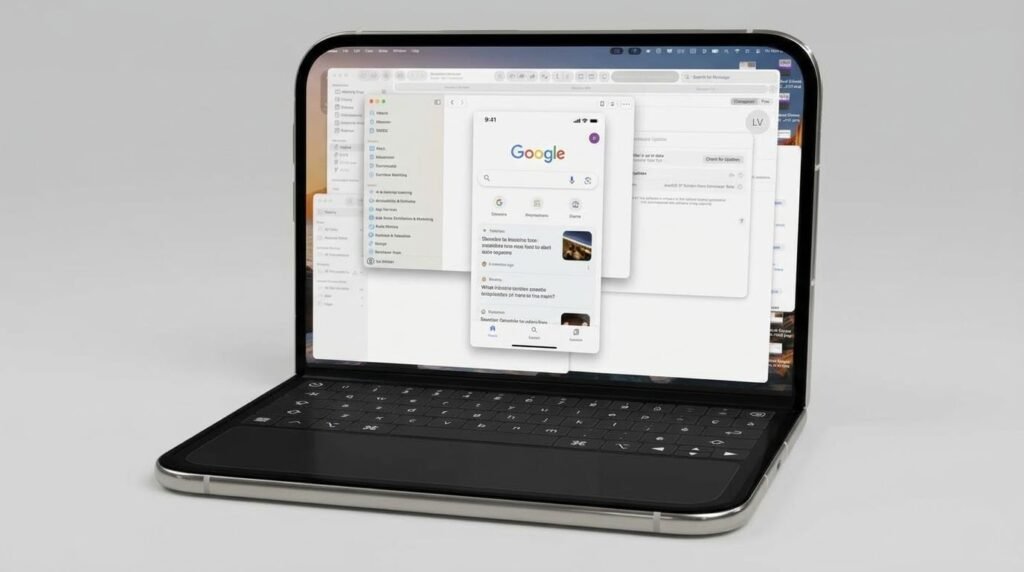

Apple’s iPhone Duo already handles Split View multitasking well, yet third-party apps are starting to do much more with its folding screen. The latest update for the remote desktop app Screens turns a half-folded iPhone Duo into a miniature MacBook. Your connected computer screen appears on the upper half of the display, while a virtual keyboard and trackpad sit on the bottom half.
Edovia’s Screens 5.10.6 update uses iOS 27 hinge detection to launch this new Laptop Mode whenever you fold the phone halfway. According to the dev team, the custom keyboard matches your system language, supports multiple languages, and lets you swipe down on keys for alternate characters just like on an iPad. Below the keys, a virtual trackpad supports all of Screens’ usual gestures so you can move a cursor without carrying extra gear.
Desktop features fit the smaller screen
Laptop Mode works best with the High Performance Screen Sharing option Edovia added earlier in Screens 5.10. When you connect to an Apple silicon Mac running macOS 14 Sonoma or later, the app automatically resizes your desktop to fit the top half of the phone. It also streams remote audio from your Mac, uses HEVC video encoding for crisp playback, and keeps sessions encrypted.
Version 5.10.6 brings several other updates across iOS, iPadOS, and visionOS alongside the new foldable layout. Users can now send spoken dictation straight through keyboard input or paste it via the clipboard with an optional automatic Return key. Edovia also added portrait desktop resolutions for iPhone, new Apple Pencil shortcuts for showing or hiding the keyboard, and smoother mouse and trackpad controls.
Apps test new foldable layouts
Typing on a pocket-sized touchscreen will never replace a real MacBook keyboard for long documents, though it works great for quick tasks away from your desk. Watching apps respond directly to the iPhone Duo’s hinge shows how much room developers have to experiment with Apple’s first foldable. Not every company finds the shape easy to work with, as Instagram head Adam Mosseri recently admitted that designing Instagram for the iPhone Duo feels pretty challenging.
Still, apps like Screens prove that a folding display can handle real desktop work when you need it. Screens 5.10.6 is available on the App Store with a seven-day free trial, followed by monthly, annual, or lifetime purchase options with Family Sharing.
The post This App Turns Your Folded iPhone Duo Into a Tiny Working MacBook appeared first on Android Headlines.