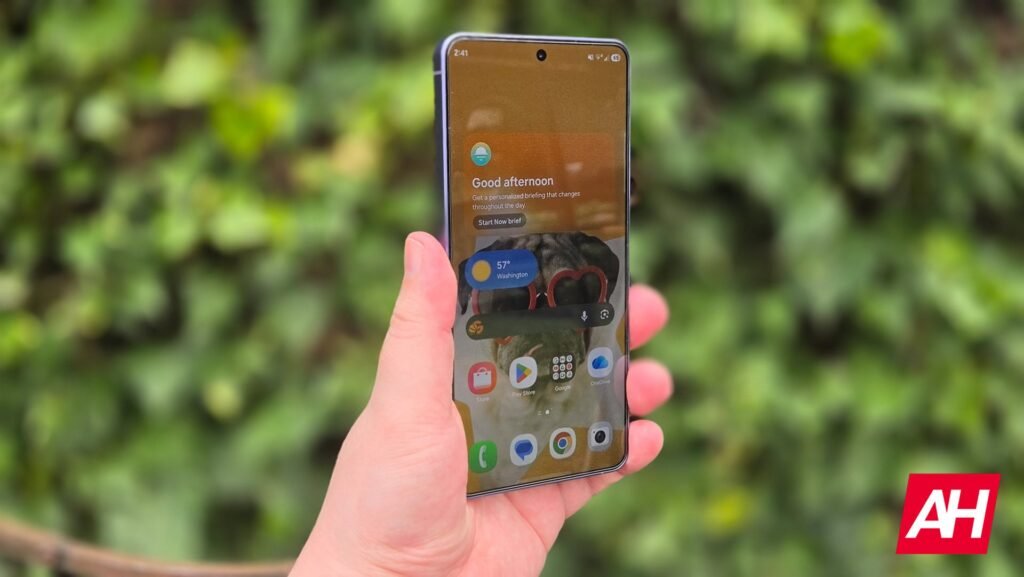

If you’re a Samsung phone user, there’s a very good chance you’re already using Modes and Routines. As the name suggests, it automates pretty much anything on your phone with simple “if this, then that” rules. With One UI 9.5, Samsung is taking things up a notch by bringing in AI to the Modes and Routines app.
Samsung could bring AI-powered smarts to Modes and Routines in One UI 9.5
Samsung didn’t officially mention this, but folks at Android Authority have reportedly tested this on their Galaxy S26 Ultra. They report that Modes and Routines app v5.2.00.69 in One UI 9.5 Beta 1 (based on Android 17) brings a new action called “Ask AI assistant.” You can choose an assistant, enter a prompt in the “Enter command” box, and the routine automatically sends it when triggered. This can be dismissing your alarm, arriving at work, or tapping a button.
The report says the prompt can also include text from earlier actions in the routine, up to 8,000 characters. Gemini and Perplexity are reportedly the only two options for ‘Ask AI assistant’. Even they will appear only if their apps are installed. They are built into the Routines app, so there’s no way to add other AI assistants like ChatGPT or Claude. Meanwhile, Routines still has a separate ‘Ask Bixby’ action from One UI 9.
There’s reportedly one limitation. Routines can only open the assistant. It doesn’t wait for an answer or receive one from the assistant. This means you can’t feed the AI’s response back into a later action like a pop-up or a note. The routine ends as soon as the assistant opens.
No way to add other AI assistants
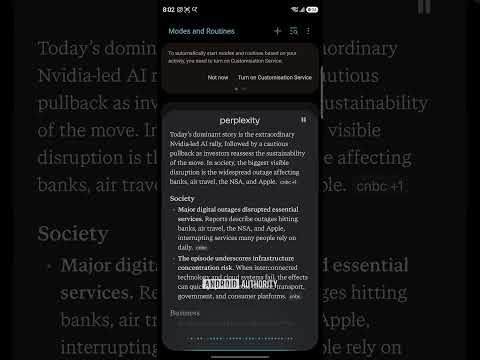
With Perplexity, Routines open the app’s floating assistant with the prompt and tell it to send the prompt right away. Android Authority reports that during their testing, Perplexity automatically searched the web, showed an answer with sources in its overlay, and read it aloud as soon as the routine ran. They didn’t need to touch the phone, apparently.
Meanwhile, it’s different with Gemini. Routines first tries to send the prompt automatically through a Google app service. If that fails, it falls back to sharing the text with the Gemini app, which only prefills the prompt. To that extent, the report says that on their Galaxy S26 Ultra, the Google app (v17.76.14) rejected Samsung’s request, so Routines used the fallback. Gemini opened full screen with their prompt typed in, and then waited for them to tap Send. This clearly defeats the convenience of a routine.
It seems the Google app currently allows only Google’s own apps to use this service, leaving Samsung Routines unable to complete the process. It’s possible Google could add Samsung Routines to its approved list before One UI 9.5’s stable release. So in the meantime, Perplexity is the only assistant that works hands-free with Routines.


A limitation from Google’s side
Android Authority reports that this difference is in how this new feature works for the new “Morning news briefing” preset, which runs when you dismiss your alarm. The routine is to read out the latest news in society, business, and the stock market. However, the preset uses Gemini by default and has no separate read-aloud action. So, Gemini only opens with the news prompt filled in, leaving you to tap Send manually. However, switching to Perplexity makes the feature work as intended, with the news summary read aloud automatically.
One UI 9.5 also adds several more actions, including Summarize text, Translate text, Extract text from image, and Repeat. Summarize text uses Samsung’s servers, while translation and image text extraction work on-device. These actions power the new presets, such as Screenshot translation, which extracts text from a screenshot, translates it, and displays the result in a pop-up.
Seven new preset routines
Lastly, the update also adds seven preset routines that can be found under Discover > New preset routines. These include: Pomodoro timer, Monthly media cleanup, Screenshot translation, Morning news briefing, Meeting recorder, Plank workout routine, and Monthly storage cleanup. Their names make it pretty obvious what they’ll bring to the table. They offer things like news summaries, recording meetings, managing storage, and giving workout instructions automatically.


The post Samsung Could Make Modes and Routines Smarter With AI in One UI 9.5 appeared first on Android Headlines.