
As many of you know, yesterday was a big day for Apple. The company hosted a WWDC 2026 keynote, which not only served as a way to announce a bunch of new features but it’s also the last WWDC with Tim Cook as Apple’s CEO. During the keynote, Apple announced iOS 27, along with a bunch of features that it will come with. The all-new Siri is a part of it, of course, and arguably the biggest announcement of the show.
We’ve already talked about features that Apple decided to borrow from Android, in one way or another. In this article, we’ll list a bunch of features in general that were added to iOS 27, the ones that caught our eye the most. There are some very interesting and useful additions here. They’re listed below in no specific order.
All-new Siri AI

Apple has been mocked for its subpar AI for quite some time now. The company learned a lesson, it seems, and decided to rely on Google, kind of. New Siri is powered by Apple’s new Foundation Models, but those models were built with Google, and Gemini was used for them. So… you see where we’re going with this. It comes with a bunch of new capabilities, and it’s much smarter than before, not to mention that a dedicated Siri AI app has been announced as well.
Performance improvements
All the improvements under the hood are probably our favorite addition in iOS 27. The Platform Stability part of the update is already noticeable in the beta build of iOS 27, so we’re expecting an even bigger improvement once the stable build comes knocking. The whole UI feels considerably snappier than iOS 26, we’ve noticed that straight away. Apple says that app launches will be 30% faster, AirDrop transfers 80% quicker, and loading new snaps in Photos 70% faster.
New photo editing options

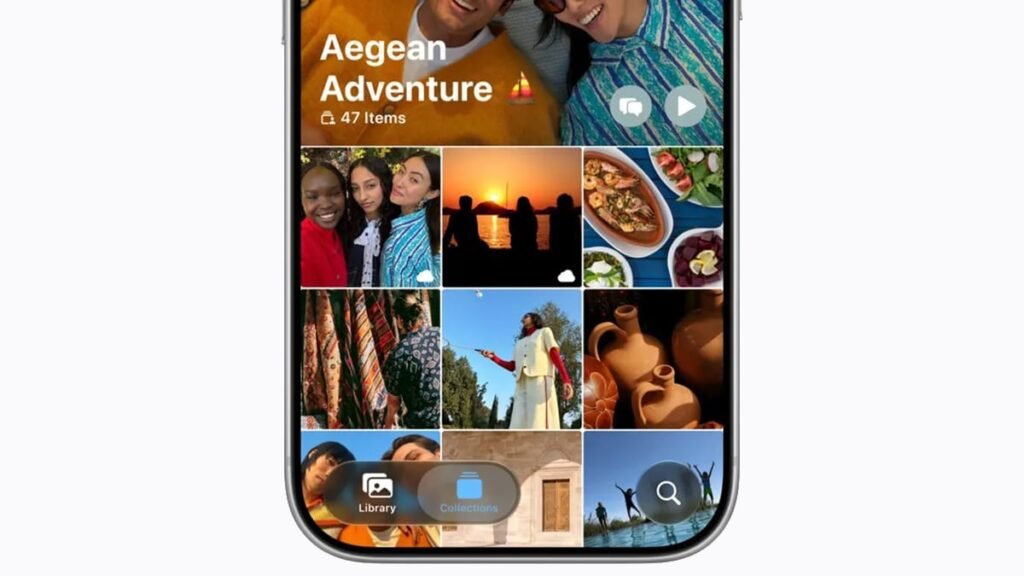
With iOS 27, Apple announced improvements to some of its photo-editing features and also added some new ones. Clean Up is an existing feature, but it did receive a major upgrade here. It will help you remove distractions in a more realistic way. In addition to that, Apple added Extend and Reframe tools. The Extend tool uses AI in order to expand your image outside of its bounds, in case you’d like it to offer a wider FoV. It can create the surrounding environment. Reframe, on the other hand, can basically change the point of view of an image, as if you were shooting from a different angle.
Apple’s Magic Cue & Circle-to-Search
Apple basically added a Magic Cue-like feature with Apple Intelligence. This will be available in a number of first-party apps, such as Messages, Phone, and Photos. Depending on what’s on screen, you’ll get intelligent suggestions. So, for example, if you’re agreeing to meet with someone, this feature will be able to set a reminder for it and add it to the calendar. That’s just one example. Circle-to-Search is also here, as you’ll be able to search the contents of the screen, basically.
Shortcuts app gets an AI boost

Apple’s Shortcuts app is loved by many, but it could be a bit too complex for some. Well, thanks to a new update, that may no longer be the case. Thanks to iOS 27, you’ll be able to describe the shortcut you want using natural language. Needless to say, this is much easier than adjusting everything manually, and it may get more people to use the app.
Safety features for kids

Apple did offer such features in iOS 26, but the company is now expanding on it. Two new features are called ‘Ask to browse’ and ‘Ask to buy’. They basically allow parents to allow their kids to browse sensitive topics or approve online purchases. Apple also revamped Screen Time for children’s accounts. You can now set custom timers for select app usage categories, plus you do get more information as part of the update.
Liquid Glass slider

Many people like Apple’s Liquid Glass UI design, but there are some who are not fans, like yours truly. Well, Apple just announced something that I personally appreciate very much. The company announced a slider that will allow you to control the opacity of Liquid Glass. You can make it as transparent as you’d like or make it a plain color. It goes from “ultra clear” to “fully tinted”. The latter option basically removes the effect, as mentioned earlier.
Safari improvements
Apple’s Safari has also received a boost in this update. It received a new tool that helps it manage excessive tabs. It is Apple Intelligence-powered, and it bundles up related tabs together. Safari will also create dedicated tab groups that can be opened later. A feature called ‘Notify Me’ will allow Safari to monitor tabs you’ve closed for any relevant changes. You can also vibe-code extensions for Safari now, kind of. All you need to do is explain, in natural language, what you want Safari to do.
Accessibility features
With iOS 27, Apple also announced a new on-device subtitle generator for your personal videos. The OS will automatically generate captions for your videos that are in the Photos gallery. The same goes for the video you watch online, actually. This new feature utilizes Apple’s new on-device speech recognition model.
The post 9 iOS 27 Features Worth Getting Excited About appeared first on Android Headlines.