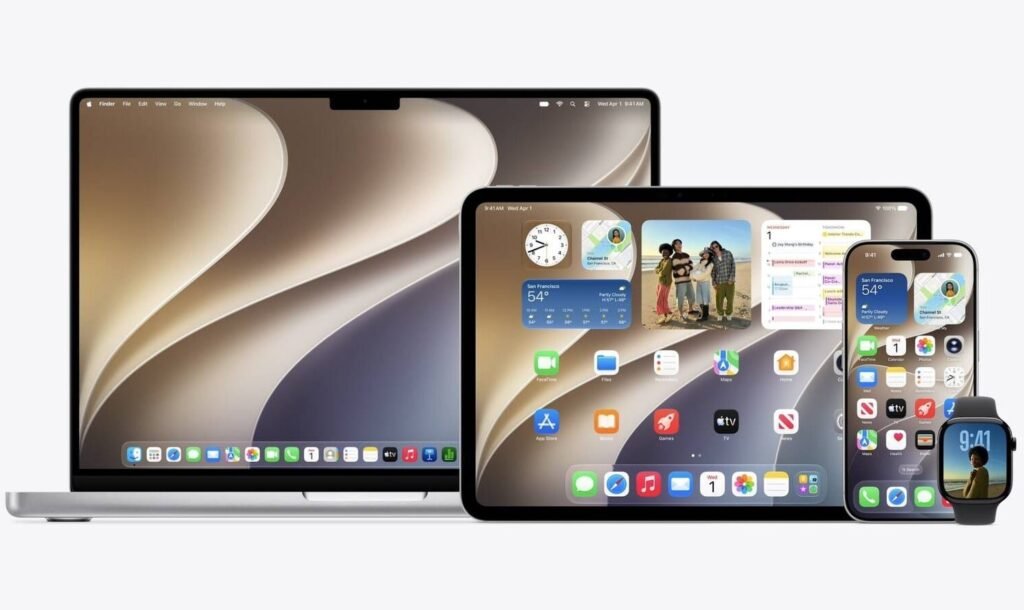

Apple officially kicked off its annual Worldwide Developers Conference (WWDC 2026). As expected, we got our first look at the next major update for the Mac. Introduced by software chief Craig Federighi—complete with a tongue-in-cheek presentation featuring a vintage Volkswagen van—Apple’s new desktop operating system is officially named macOS 27 Golden Gate.
Last year’s macOS Tahoe update was all about shifting the design paradigm. With Golden Gate, the firm is focusing on polishing the rough edges, supercharging system performance, and drawing a definitive line in the hardware sand.
macOS 27 Golden Gate polishes the Liquid Glass interface and brings slider
With the “Liquid Glass” design in macOS Tahoe, Apple got a mixed response from the public. Vocal critics argued the heavy transparency effects made text incredibly hard to read and felt half-baked across the system.
Apple isn’t backtracking on the design, but Golden Gate fixes the most common complaints. The interface now features diffused shadows to make overlapping windows more legible, and sidebars now stretch cleanly all the way to the edges of the window. Even better, the tech giant is handing control back to users with a new global slider on macOS 27 that lets you adjust the exact opacity of the Liquid Glass effect. Window corners are also getting a uniform, tighter corner radius across the entire system—even for older third-party apps that haven’t been updated. This gives the desktop a much more cohesive look.


A massive under-the-hood speed boost
If you felt like your Mac was lagging lately, Golden Gate brings some very welcome performance upgrades. Apple claims that native Mac apps will now launch up to 30% faster thanks to smart pre-loading protocols. Additionally, data sharing via AirDrop is getting an impressive 80% speed boost, meaning large files should fly between your Apple devices almost instantly.
Apple also completely rebuilt the underlying file-indexing system. If you have ever suffered through a broken Spotlight search where Finder simply refused to locate a document, this infrastructure overhaul aims to fix that. The new architecture indexes fresh content almost immediately and brings a new ranking system to surface more relevant results inside Spotlight, Mail, and the Photos app.
Siri gets smarter, parents get more control
Artificial intelligence and security also took center stage during the keynote. Apple teased a bold new architecture for Apple Intelligence, which includes a heavily upgraded and more responsive Siri capable of handling more complex tasks.
For families, macOS 27 introduces robust system-wide parental controls. Alongside traditional Screen Time limits, parents can now set hard blocks on specific applications and deploy new safety tools. They actively scan for and block unsuitable imagery, including nudity and graphic violence, keeping younger users safe while browsing.

The end of the Intel era
The most significant talking point of the event, however, is compatibility. Six years after Apple began its transition away from Intel processors, the company is finally pulling the plug on x86 hardware.
macOS 27 Golden Gate will completely drop support for Intel-based Macs. To install the new update, you will officially need a machine powered by Apple Silicon (an M1 chip or newer). While older Intel models are promised up to three years of security patches, their feature-update road officially ends here. Moving exclusively to ARM-based architecture allows Apple’s engineering teams to focus purely on hardware optimization and on-device AI tasks that require a modern Neural Processing Unit (NPU).
When can you get it?
The developer beta is dropping immediately, with a free public beta arriving in a few weeks. However, early betas are notorious for draining MacBook batteries and harboring nasty system bugs. So, you probably shouldn’t risk installing it on your main machine. It is best to wait for the polished, official release, which will land as a free upgrade for all compatible Macs this autumn.
The post Apple Unveils macOS 27 Golden Gate: Refined Visuals, Better Search, and the End of the Intel Era appeared first on Android Headlines.