
If you use a PC or a laptop with an NVIDIA GPU inside of it, there’s a chance you may have never even looked at the NVIDIA Control Panel app. That’s ok, too, because not everyone has a need to go mucking around in there for the features that it offers. If you’re curious about what it does, there’s a whole host of settings related to the graphics card that can adjust.
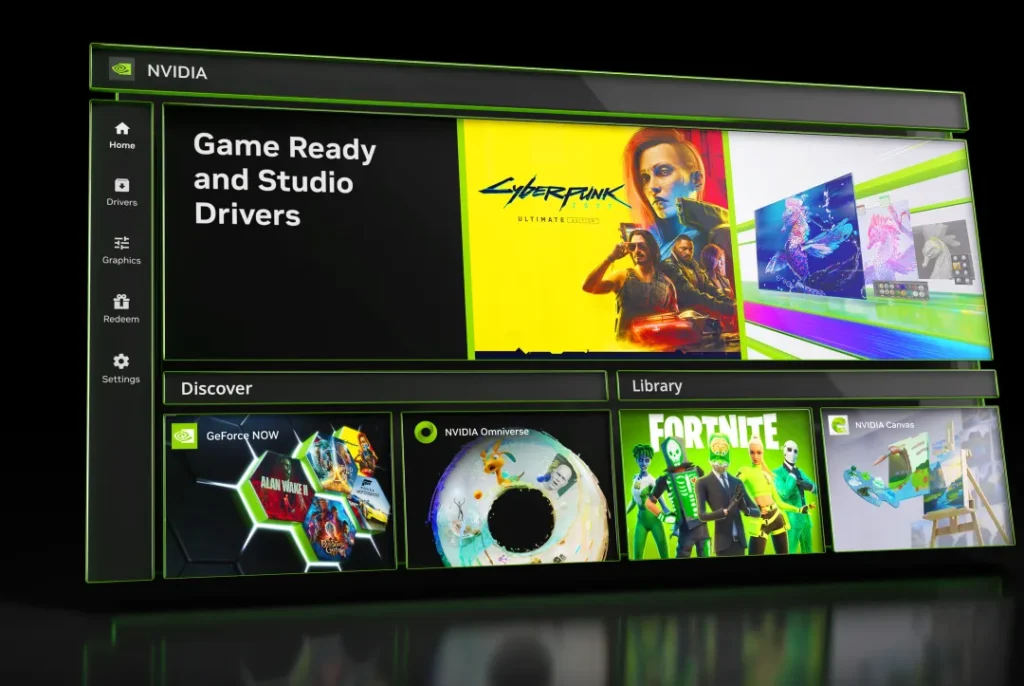
From managing your 3D settings to changing display resolution and even adjusting video color settings. For all intents and purposes, it’s a nifty app that definitely served its users well and had a reason to be on your machine. Only, it’s no longer really necessary. NVIDIA announced a couple of years ago that it was moving those features over to the NVIDIA app, and it has now done so. With all features now transitioned to the NVIDIA app, the NVIDIA Control Panel app will be retired. As NVIDIA doesn’t need both apps since they essentially do the same thing.
The NVIDIA Control Panel app isn’t being taken away
While the app isn’t getting any more updates or fixes, it’s not being taken away from users. NVIDIA simply isn’t going to update it any further. That means you can leave it installed on your PC if you wish to do so. That being said, The Verge points out that a clean diver install when a new NVIDIA driver is pushed, will remove it. If this happens, you can re-install it from the Microsoft Store if you wish to have it back.
NVIDIA retiring Control Panel shouldn’t come as a shock. The GeForce Experience app, which handled things like new drivers, was retired some time ago after the new NVIDIA app became a one-stop shop for drivers and a few other features. Now the Control Panel features are included in that. NVIDIA just needs to move the GeForce NOW features over and then users will have one app for everything.
The post Say goodbye to NVIDIA’s Control Panel app as NVIDIA App takes over appeared first on Android Headlines.