
Google is now pushing out a rather useful new feature to Google Messages, the Trash folder. Many people think that this feature should have been included from the get-go, and it’s now finally here.
Google has just added a Trash folder to Google Messages
Google announced this feature last month, but it’s now pushing it out widely. The Trash folder serves as a safety net of sorts. If you accidentally delete a conversation, you’ll be able to find it there before it’s gone forever. Or if you need to retrieve a conversation for one reason or another, it’ll be there.
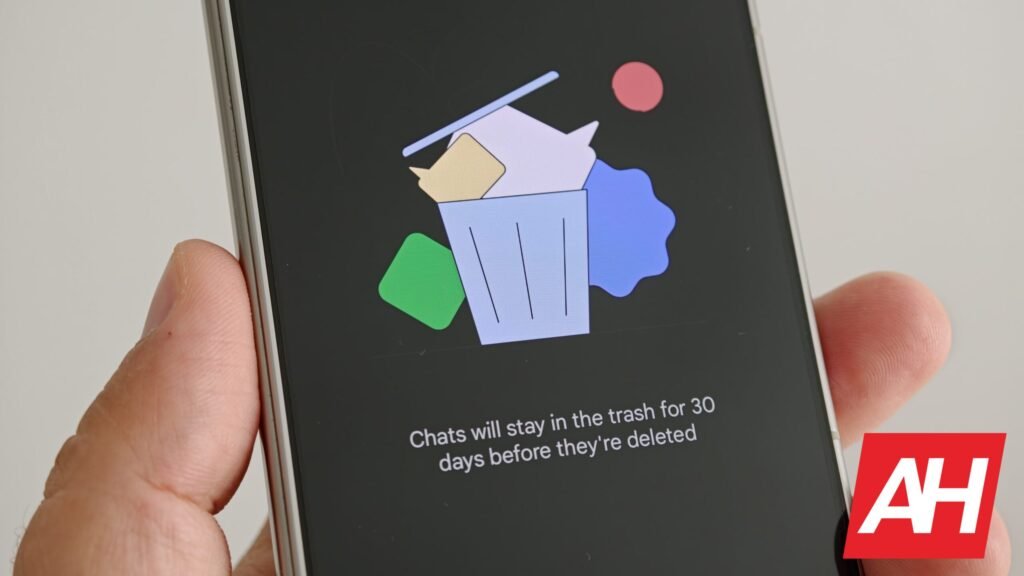
Do note that it won’t stay in the trash forever, though. Google will keep it there for 30 days, and then it’ll be gone forever. You can access your deleted conversations by tapping the ‘Trash’ icon.
If you’re wondering where that is located, you need to open Google Messages and tap your profile icon/picture in the top-right corner. Once that menu opens, you’ll see the ‘Trash’ icon there.
Do note that the same 30-day grade period does not apply to Android Go devices. If you use an Android Go device, you’ll have 7 days before the conversation is gone to “save space”.
Each thread in the Trash folder will show how many messages are included
Once you access the Trash folder, you’ll see a list of your conversations, and you’ll see how many messages are included in each conversation. You can quickly delete all of them manually, if you want, or delete individual threads. The restore feature is included there as well, in case you need to retrieve a conversation.
Some of you may wonder… what if I get a new message in a thread that I deleted? Well, just that new message will appear in your main message list; all the others will remain in the trash folder.
We’ve already received this feature on several of our phones, so chances are you have too. If not, it should be there soon. Just make sure you’re updated to the last version of Google Messages.
The post Accidentally Deleted a Text? Google Messages Now Has a Fix appeared first on Android Headlines.